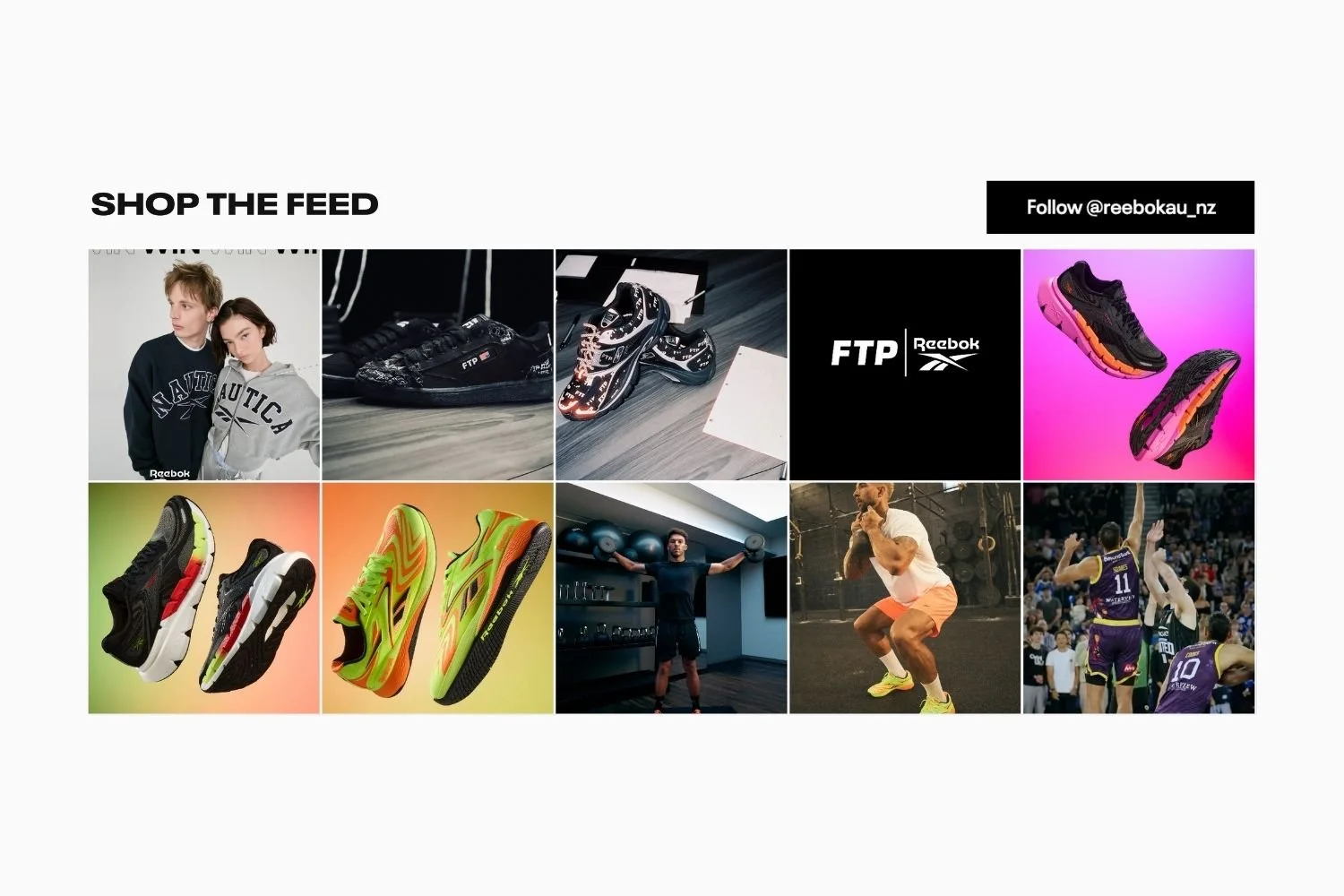
How Shopify Fashion Brands Use Shop the Look to Sell More Per Visit
Shoppers who engage with styled, editorial content spend 26% more per order than those who browse standard product pages. That gap comes down to one thing: context. A product on a white background answers “what is this?” A styled look answers “how do I wear this, and what else do I need?” Shop the look is how fashion brands on Shopify close that gap.
What shop the look means for a Shopify brand
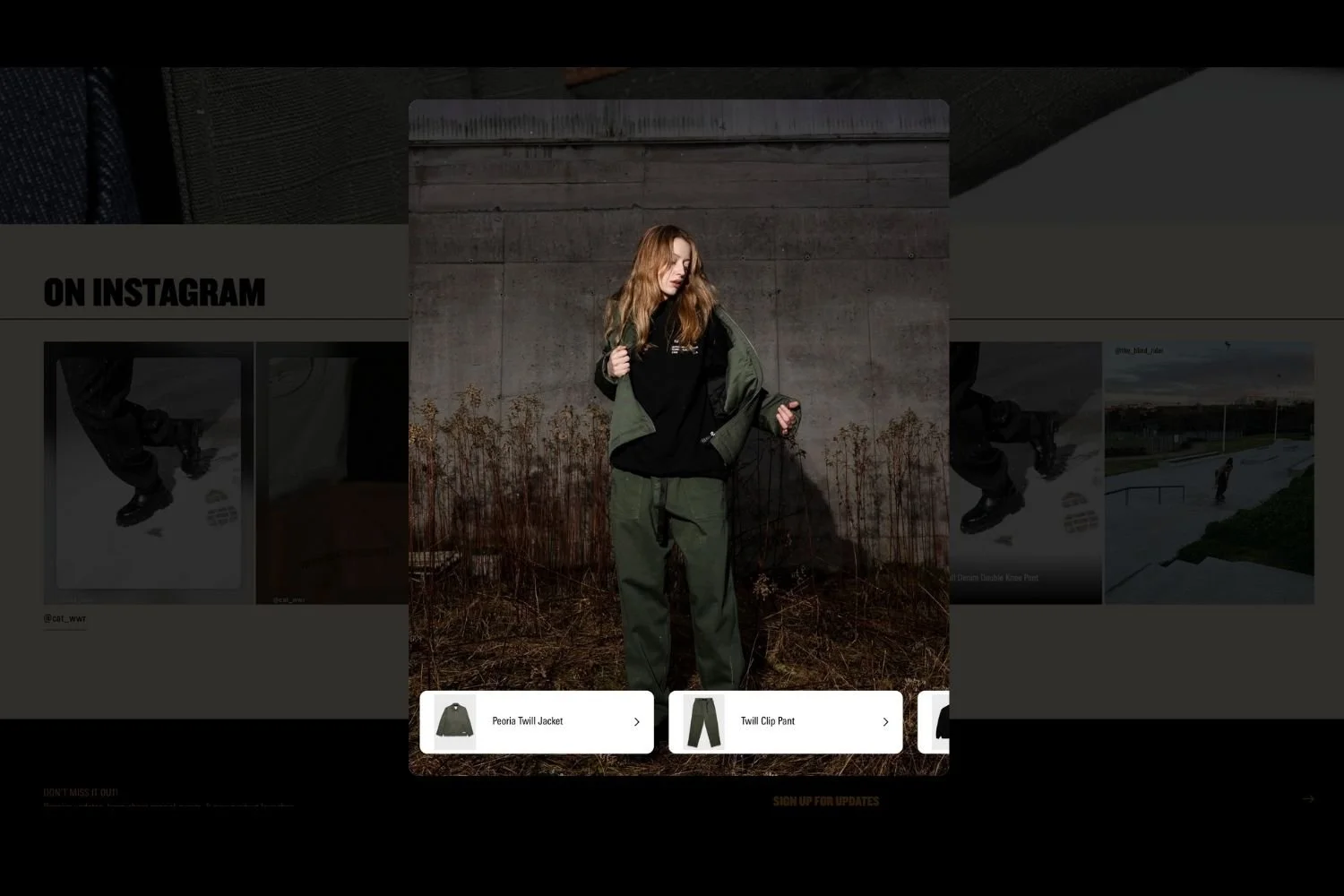
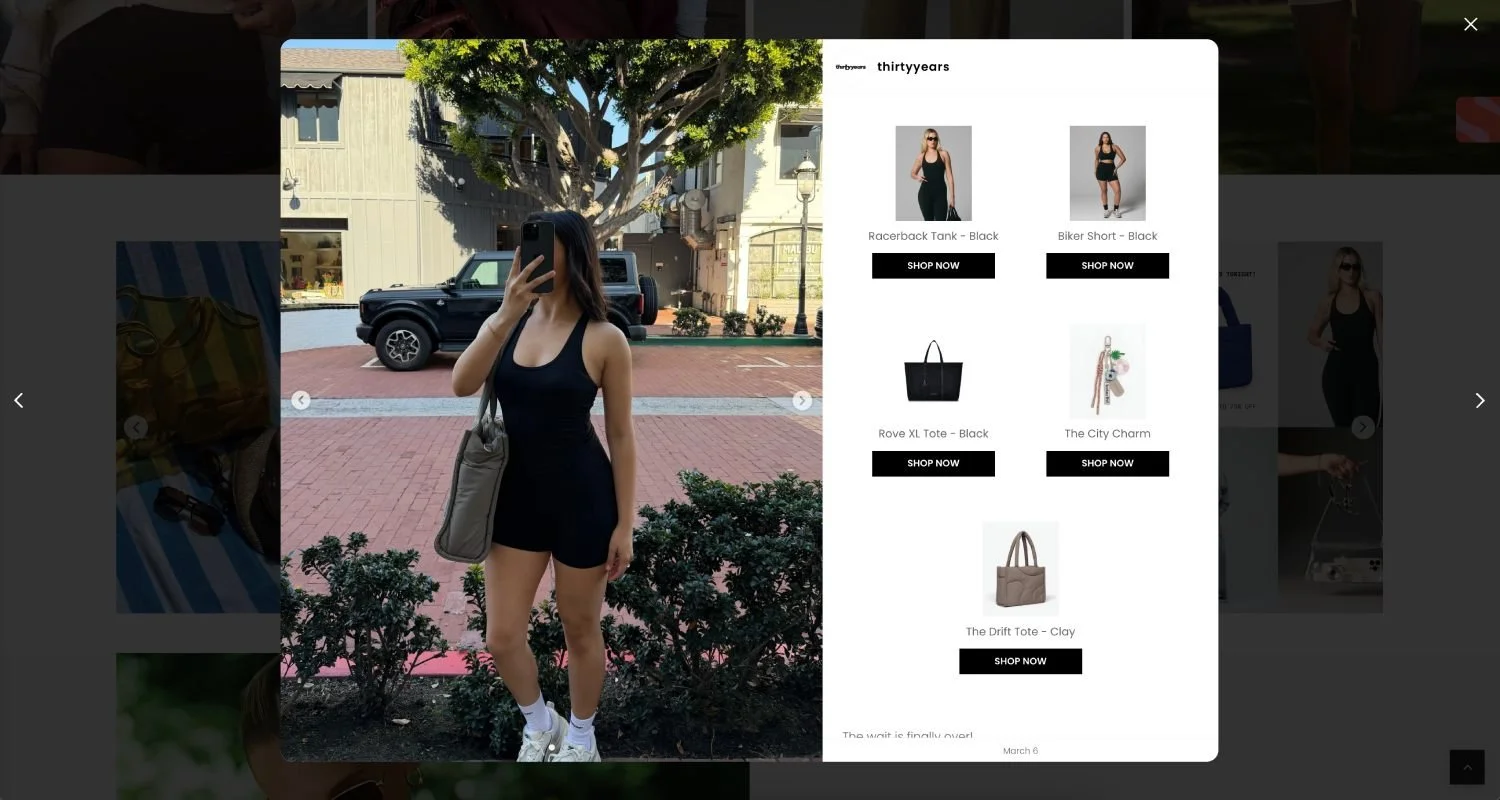
Shop the look is a merchandising format where a single image shows multiple products worn or styled together. Each product is tagged so shoppers can add any of them to their cart directly from the image.
It is not a new concept. Department stores have done it for decades with mannequins and editorial spreads. What has changed is that Shopify brands can now do this with content they are already producing, without a separate photo shoot or a dedicated lookbook section.
The core mechanic is: one image, multiple tagged products, one click to cart. The commercial result is a higher average order value and fewer dead-end visits where someone sees a product, lacks confidence, and leaves.
Why your Instagram feed is already your lookbook
Most brand operators treat shop the look as a separate project: a lookbook app, a dedicated gallery, a new section to build. If you run an Instagram account, you are already producing that content every time you post a styled outfit, a flat lay, or a product-in-use shot.
The difference between a brand that has shop the look and one that does not is placement: the content exists on Instagram and is not on the store. Bringing your Instagram feed onto your product and collection pages, with products tagged so shoppers can buy directly from the image, turns content you are already creating into a conversion tool.
For fashion brands, a shopper on a product page is not asking “is this nice?” They are asking “can I wear this, and with what?” A shoppable feed of styled shots beneath the product, each item tagged, answers that and turns content you are already creating into a conversion tool.
Connecting your Instagram to your store with Mintt Instafeed
Mintt Instafeed is one of our Shopify apps that pulls your Instagram content directly onto your storefront and keeps it synced automatically. You tag products in each post, and shoppers can add any tagged item to their cart from the image. No new content to create, no separate lookbook to maintain.
Groundies: shop the look on the product page
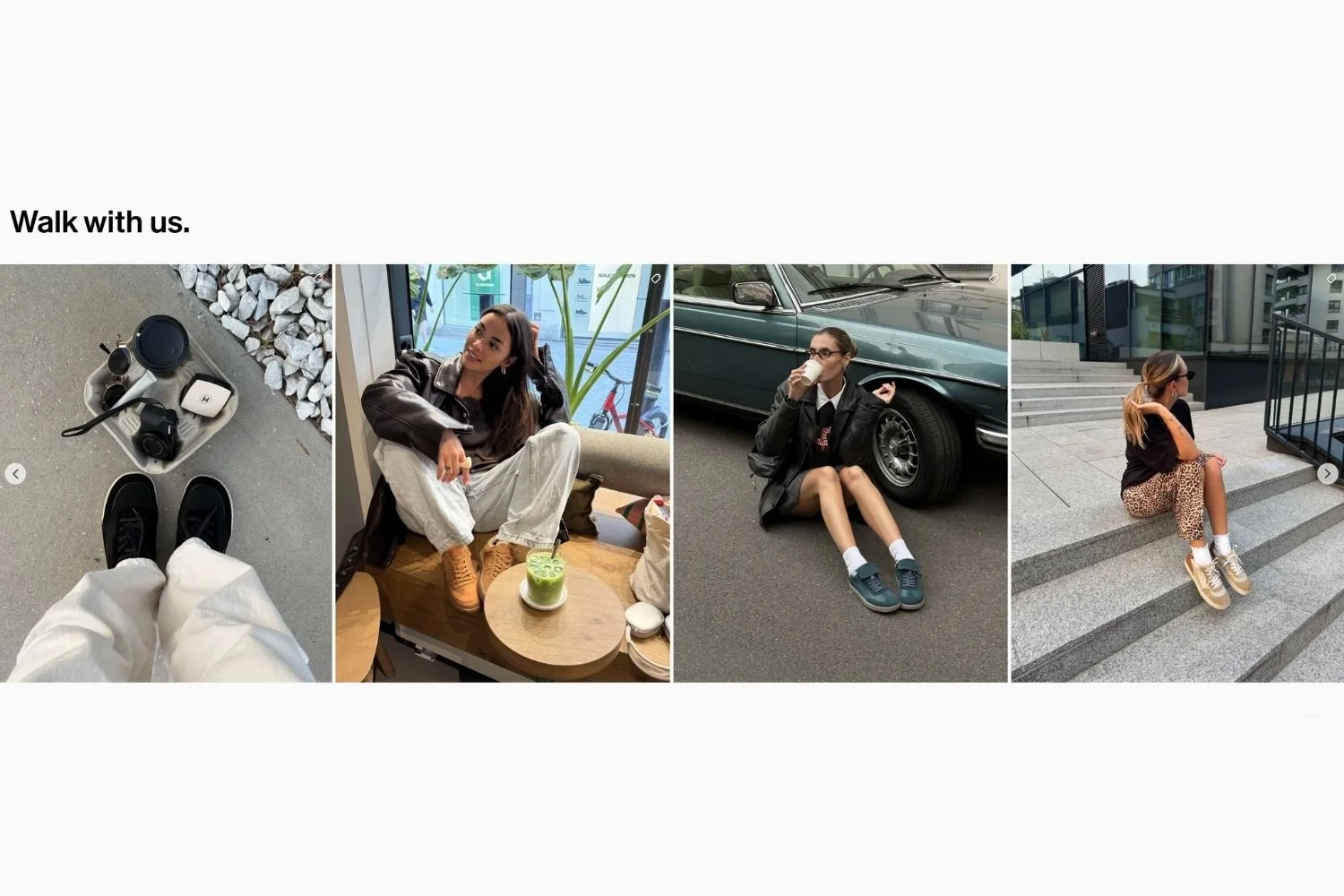
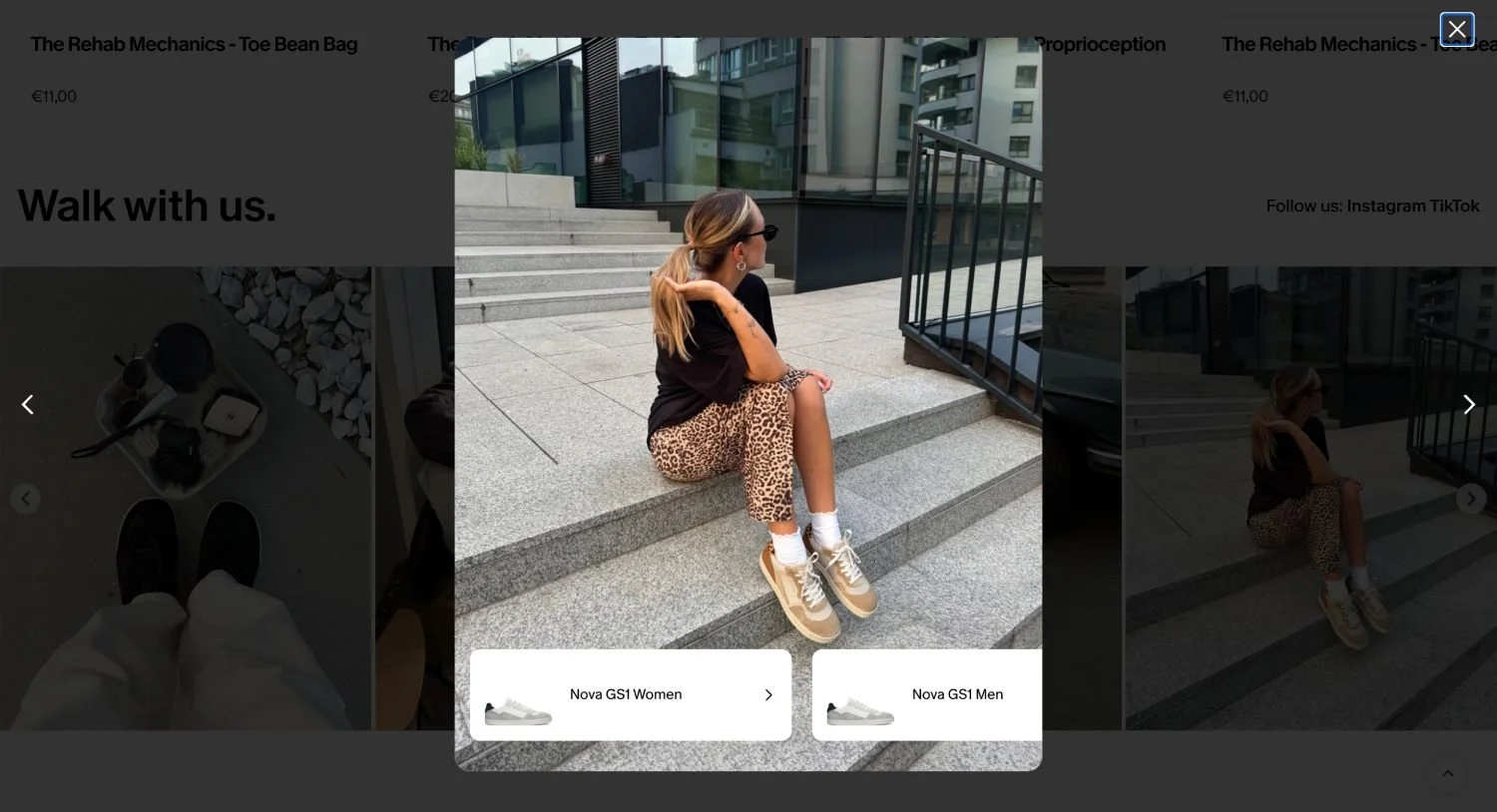
Groundies, a barefoot shoe brand, uses Mintt Instafeed to display a shoppable Instagram feed directly on their product pages. Shoppers browsing a shoe like the Zen Women see styled shots of that shoe in real-world settings, with the product tagged in the feed. Instead of navigating away to find it, they can add it to cart from the image.
The approach removes one of the most common reasons a shopper leaves a product page without buying: they like the product but cannot picture it in context. Styled Instagram content solves that without a separate lookbook or editorial shoot.
Where to place shop the look on your store
Product pages, PDP
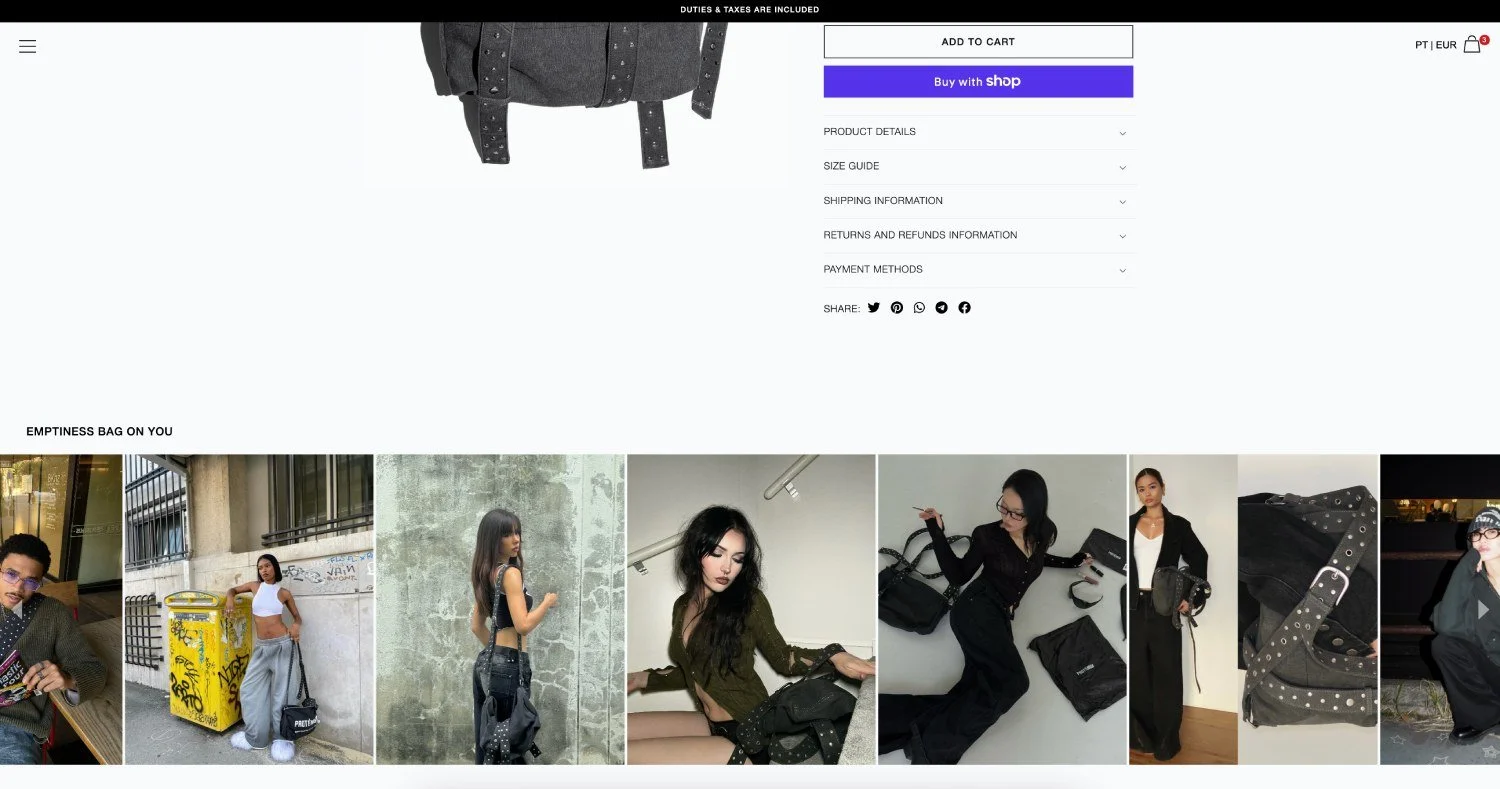
The product page is the highest-intent location on your store. A shop the look section below the product information shows the item styled in context, removes purchase hesitation, and surfaces complementary products to add to the cart.
Position it after the core product information (price, sizes, add-to-cart) but before reviews, close enough to the add-to-cart button that a second item is one scroll away.
Keep the feed curated to posts that feature that specific product. A general Instagram feed placed on every product page does not function as shop the look. It reads as decoration.
Collection pages
Collection pages serve a different shopper: one who is browsing, not yet decided. A shoppable Instagram feed alongside the product grid adds a styled layer that a grid of isolated product shots cannot. It groups products into outfits before the shopper has picked anything, which raises the chance they add more than one item.
Show a curated feed of styled looks across the whole collection rather than single-product posts. The goal is to convey range and versatility, not to push any one product.
What makes an Instagram post work as a shop the look
Not every Instagram post functions well as shop the look content. A close-up of a single product against a plain background does not give the shopper enough context to imagine a full look. Posts that work share three characteristics:
- Multiple products visible. At minimum two items, styled together. The more natural the styling, the better.
- A real setting. On a person, in a room, or any context where the shopper can picture themselves.
- Clear product visibility. Each item legible enough for the shopper to identify it when they tap the tag.
If you are shooting content for Instagram, treat each image as a potential shop the look unit. Ask whether a shopper could tap on two or three items and understand what they are looking at. If yes, the post will work.
You do not need to change your content strategy to produce this. Most fashion brands already post styled content. The adjustment is in how you tag: make sure every product visible in the image is tagged, not only the hero item.
Can UGC and influencer posts work too?
For many brands, this is where shop the look performs best.
Customer photos and influencer posts carry credibility that brand content does not. A shopper who sees real people wearing your products, in different settings and styling choices, is more likely to trust that the product will work for them too. Displaying that content on your store, with products tagged, combines social proof with purchase intent in a single touchpoint.
If an influencer or a customer posted a styled look featuring your products, that post can appear in your shop the look section, tagged and shoppable, doing work that a standard product grid cannot.
For brands running UGC campaigns or working with influencers, shop the look is a natural place to make that investment visible on the store. Read more on turning Instagram UGC into Shopify conversions.
How to set it up on Shopify with Mintt Instafeed
The setup involves three things: connecting your Instagram account, selecting where on your store you want the feed to appear, and tagging products in your posts so shoppers can add them to cart directly from the image.
With Mintt Instafeed on the Shopify App Store, your Instagram content syncs automatically with no manual updates when you post something new. You can place the feed on specific product pages, collection pages, or both, and control which posts appear in each placement. Product tagging links each item in the image directly to its product page, so the path from “I like that” to add to cart is one tap.
No coding is required. The feed fits any Shopify theme without custom development.
Updated by Mintt Studio Team on March 30, 2026

We are a small team building big things as a Shopify Partner. Offering reliable solutions for merchants, our apps reach 900 million customers every month.