How to Create & Embed a Shoppable Instagram Feed on Your Shopify Store
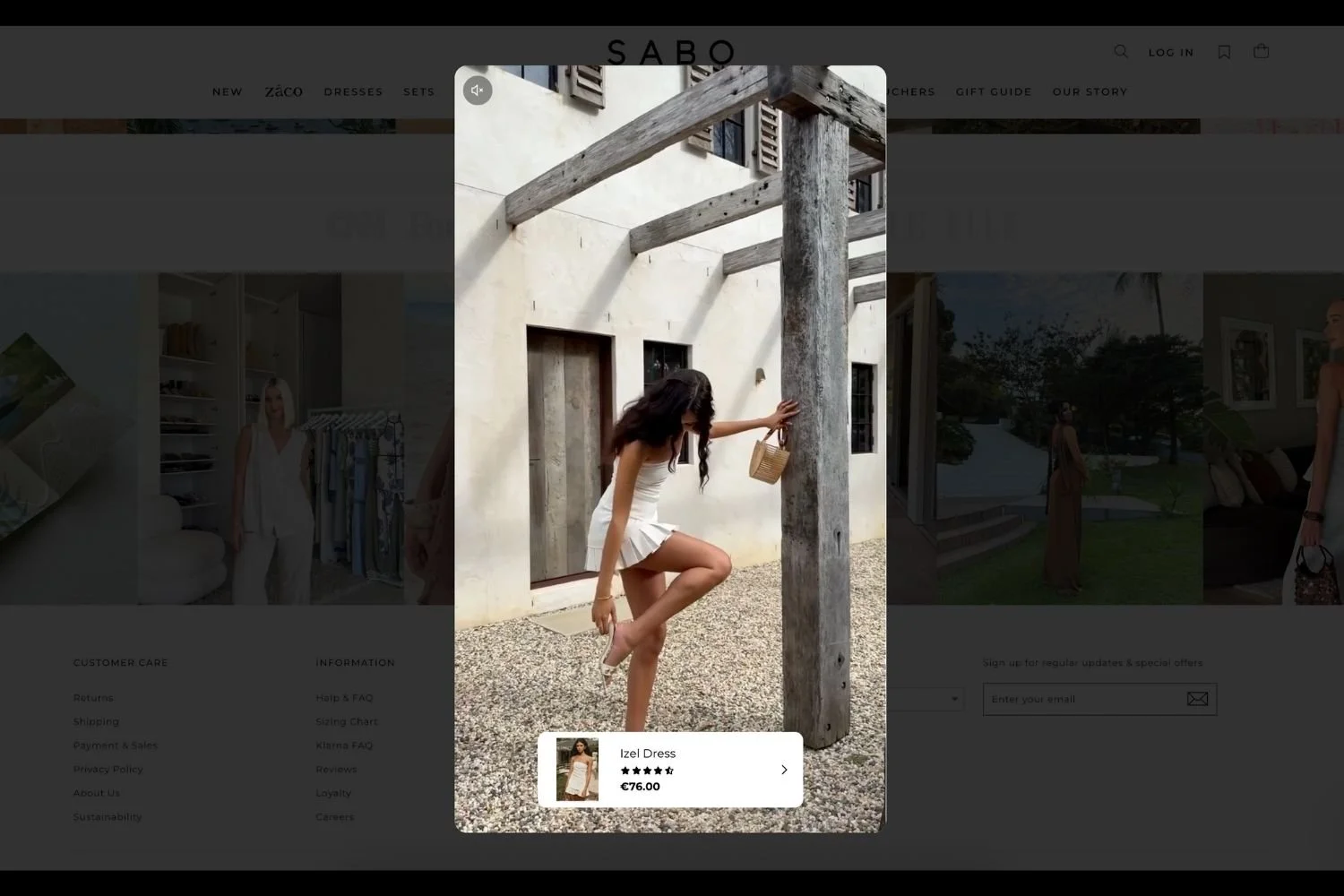
Shoppable Instagram post powered by Mintt - Instafeed, shown on the Sabo storefront.
If you’ve got great Instagram content but your store still feels… quiet, you’re not alone.
Instagram is where shoppers discover you. Your storefront is where they decide.
A shoppable Instagram feed is what connects the two.
It’s the moment someone sees how real people wear, style, or use your product and thinks, “Oh, that’s exactly what I want.” Then they add it to cart without leaving the page without extra tabs and friction.
That’s the role our app, Mintt - Instafeed Instagram Feed plays on Shopify stores every day.
Before you start on how to make a shoppable Instagram feed
A lot of brands try to show an Instagram feed with workarounds. The ones that stick with it usually choose a setup that’s stable, compliant with Meta and Shopify, and built to scale, because Instagram feeds break more often than you’d expect.
With Mintt - Instafeed, all it takes is connecting your Instagram account in one simple step, and you’re ready to go.
That’s it. No code. No developer dependency. No risky hacks.
Display shoppable Instagram feeds on your Shopify store with Mintt - Instafeed
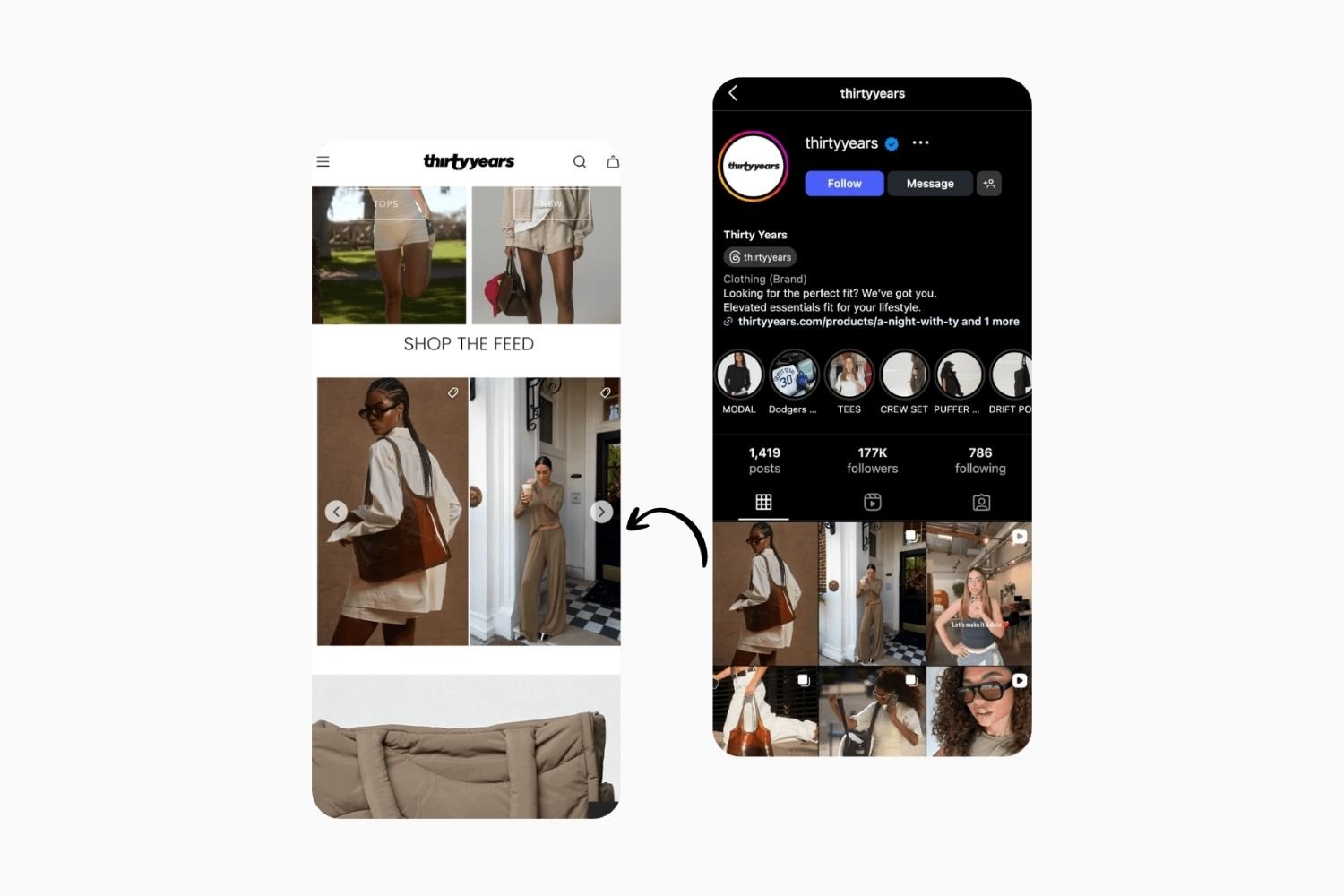
Shoppable Instagram feed on the Thirty Years storefront, displayed on mobile.
Here’s what setting up your feed looks like in practice:
Install Mintt - Instafeed from the Shopify App Store
Add the app from the Shopify app store. You can start for free or unlock all features with a free trial.
Connect Instagram
One secure authorization. Mintt - Instafeed is fully Meta- and Shopify-approved, so your feed stays reliable over time.
Choose what to show on your shoppable feed
Pick posts and Reels with high engagement where the product is clearly visible. These work best for building buying confidence.
Tag products or let Mintt - Instafeed tag them for you automatically
Tag products from your Shopify catalog directly on your posts. Each tag removes a decision step and shortens the path to purchase.
Match your brand and shoppable Instagram feeds
Grid or carousel, columns for desktop and mobile, spacing, likes and followers on or off. Keep it clean and thumb-friendly so it blends naturally into your storefront.
Embed your shoppable feeds on your store
Add the Mintt - Instafeed block to your Shopify theme, anywhere on your store. The app is compatible with all themes and works seamlessly on mobile and desktop devices.
No code is required, just live, shoppable Instagram content supporting your buying journey.
Where to place your shoppable feed (and why it converts)
Product pages: the highest-impact spot
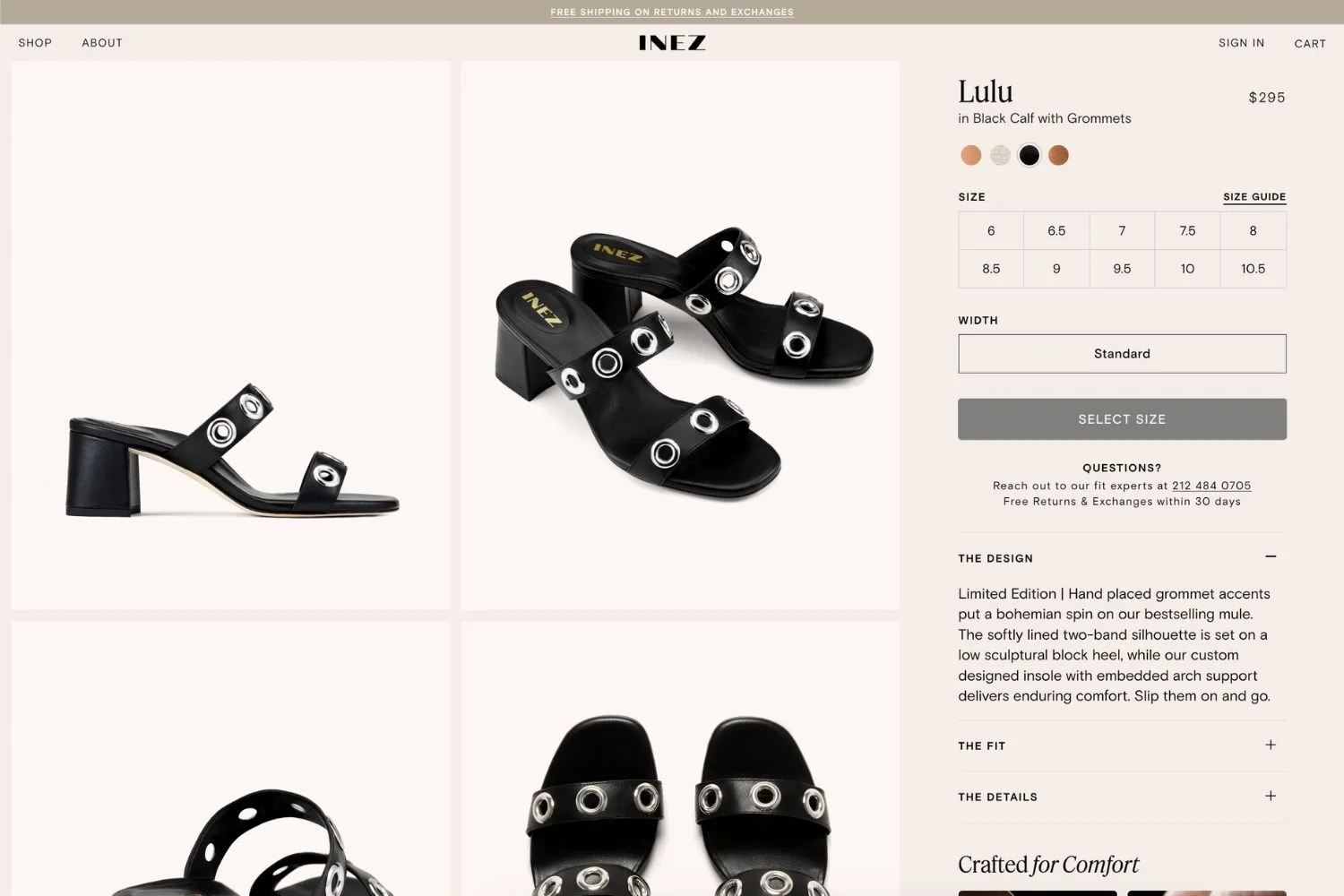
If an Instagram post shows a specific product, place it directly on that product page. This is social proof at the exact moment shoppers are deciding whether to buy.

Shopify product page featuring an Instagram feed with product-related photos.
Keep mobile lightweight
Start with one or two rows on mobile. Let visitors expand if they want more. Faster loads and less clutter usually mean better engagement.
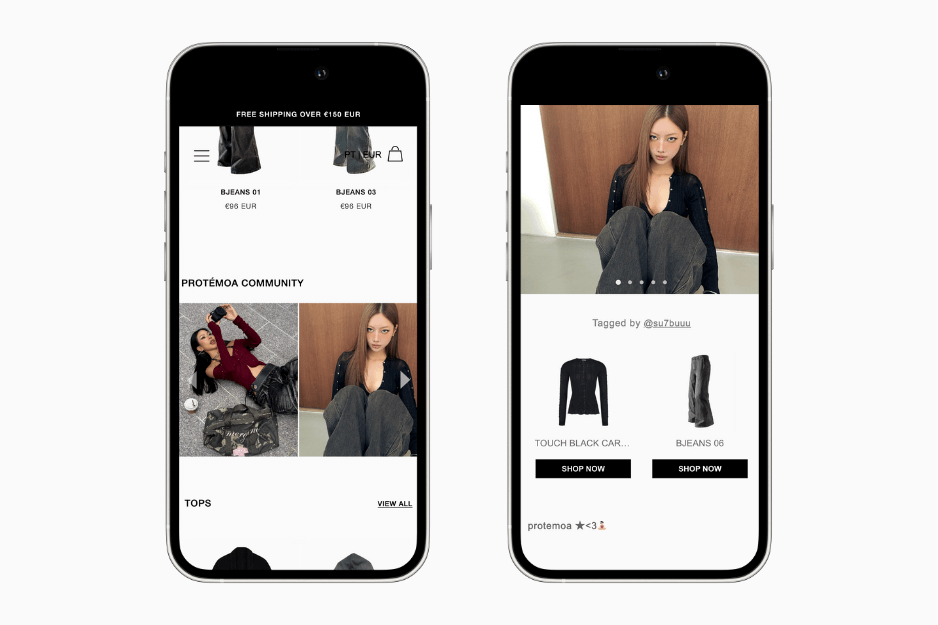
Shoppable UGC Instagram feed on the Protemoa storefront, displayed in one row on mobile.
Curate with intent
Lead with bestsellers, seasonal products, or launches. If a post includes multiple items, “shop the look” tagging helps shoppers build a cart from a single moment of inspiration.
Small layout decisions, noticeable conversion lift.
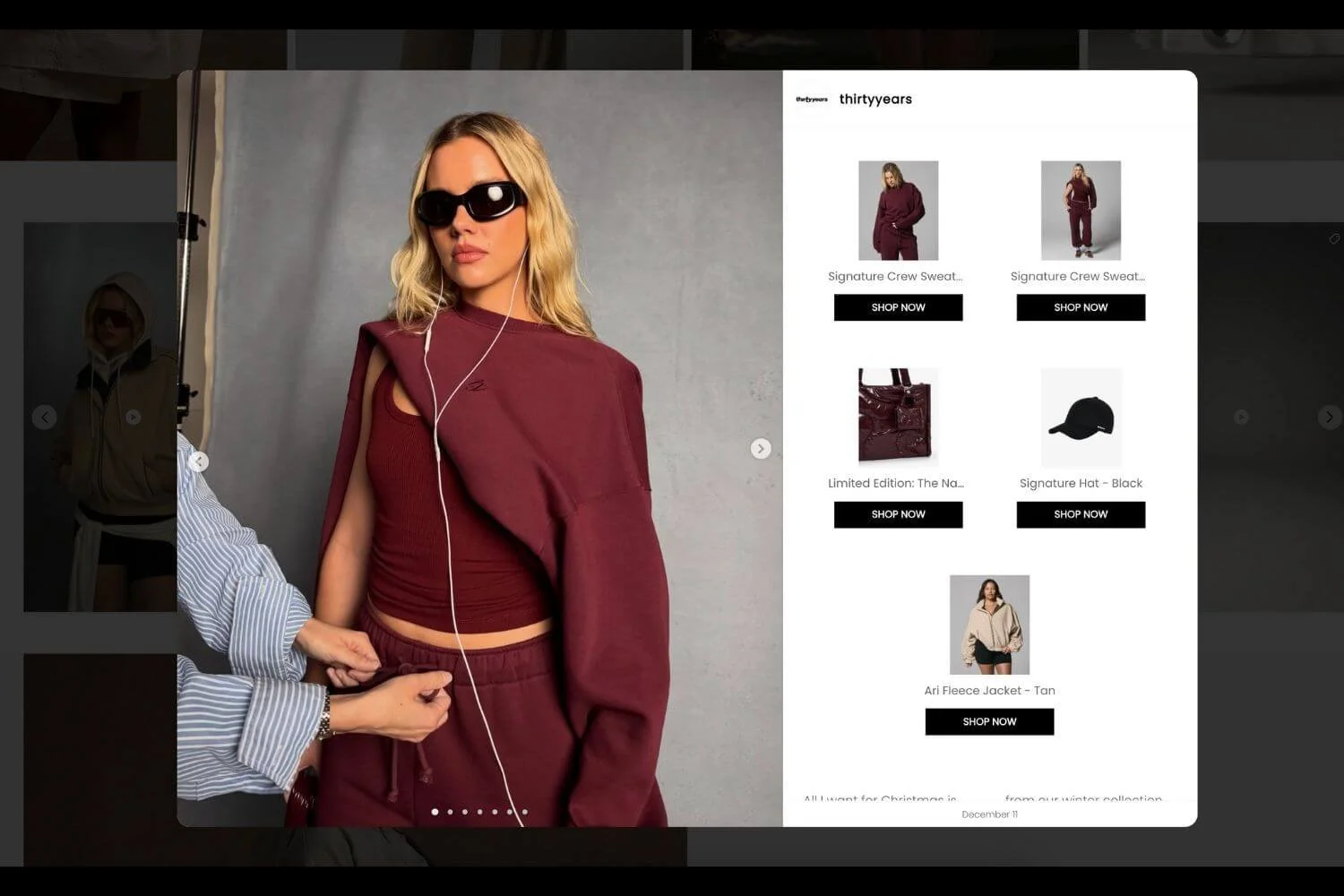
Shoppable post with multiple products tagged, shown on Thirty Years storefront. Powered by Mintt - Instafeed.
Why brands like Reebok and Crocs use Mintt - Instafeed (and stick with it)
Top Shopify brands don’t stick with an Instagram feed app because of flashy features - they stick with it because it works, reliably, every day.
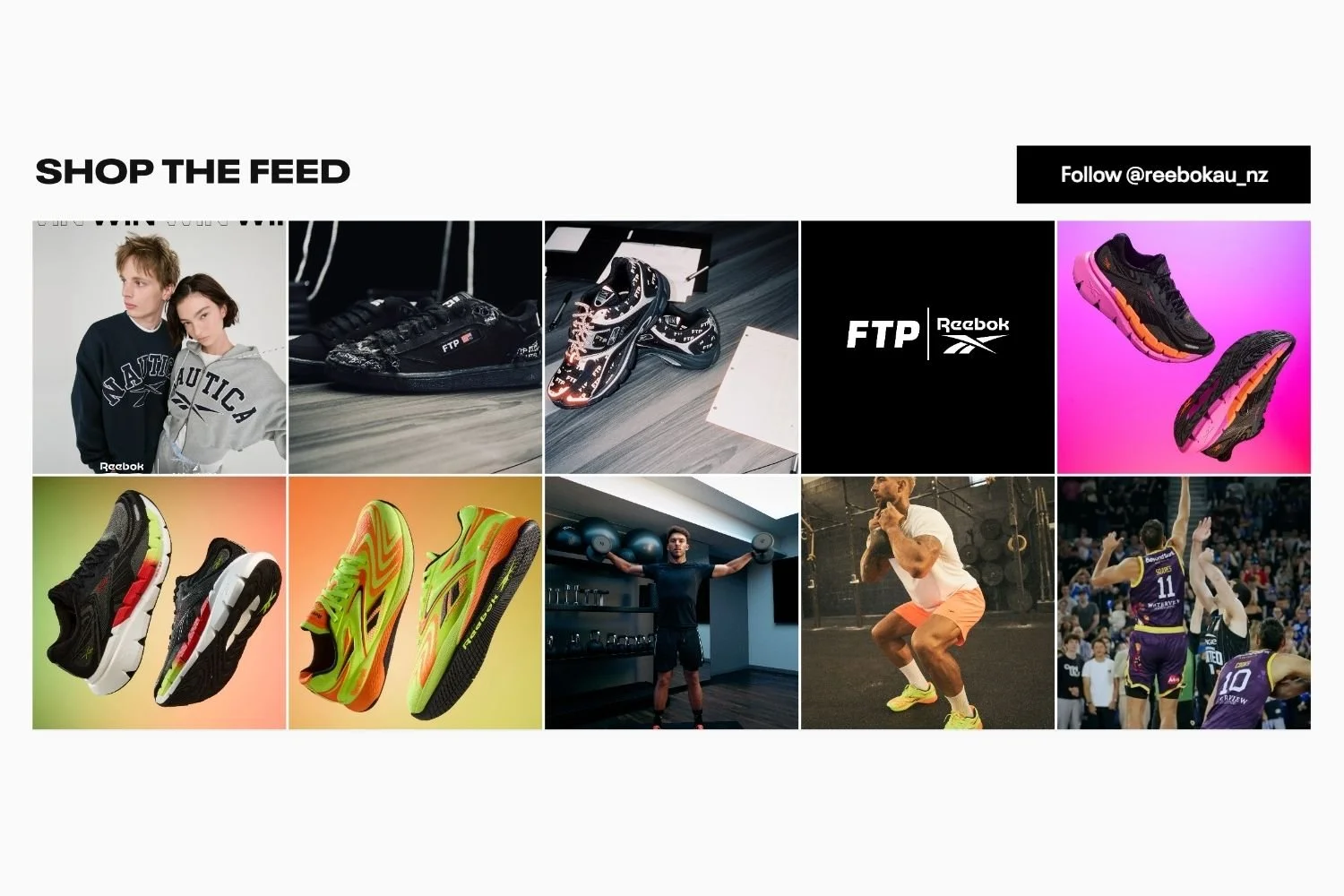
Instagram feed powered by Mintt - Instafeed, shown on the Reebok storefront.
Reebok uses Mintt - Instafeed to showcase their latest Instagram content, including product launches, user-generated content, and campaigns without a single glitch. Check their feed live for inspiration.
Mintt - Instafeed is built to run smoothly in your Shopify store, no surprises:
Rock-solid stability: Battle-tested for high-volume and fast-growing Shopify stores.
Officially compliant: Shopify and Meta-approved, so your integrations don’t disappear overnight.
Automatic product sync: Seamless product sync that keeps content fresh without lifting a finger.
Built for Shopify: No impact on your store’s performance.
Zero developer involvement: Update layouts or content anytime without code.
When Instagram is already inspiring your customers, Mintt - Instafeed ensures that inspiration translates directly into a shoppable experience - so your site never misses a beat.
Ready to make your Instagram shoppable?
If you want to see how a shoppable feed looks on your own store, Mintt - Instafeed offers a free trial so you can test placement, design, and performance without committing upfront.
Turn real Instagram content into real conversions, right where shoppers are ready to buy.
Updated by Mintt Studio Team on 13/01/2026
More from Mintt Studio