How to Use an Instagram Feed Widget on Shopify (and Why It Matters)

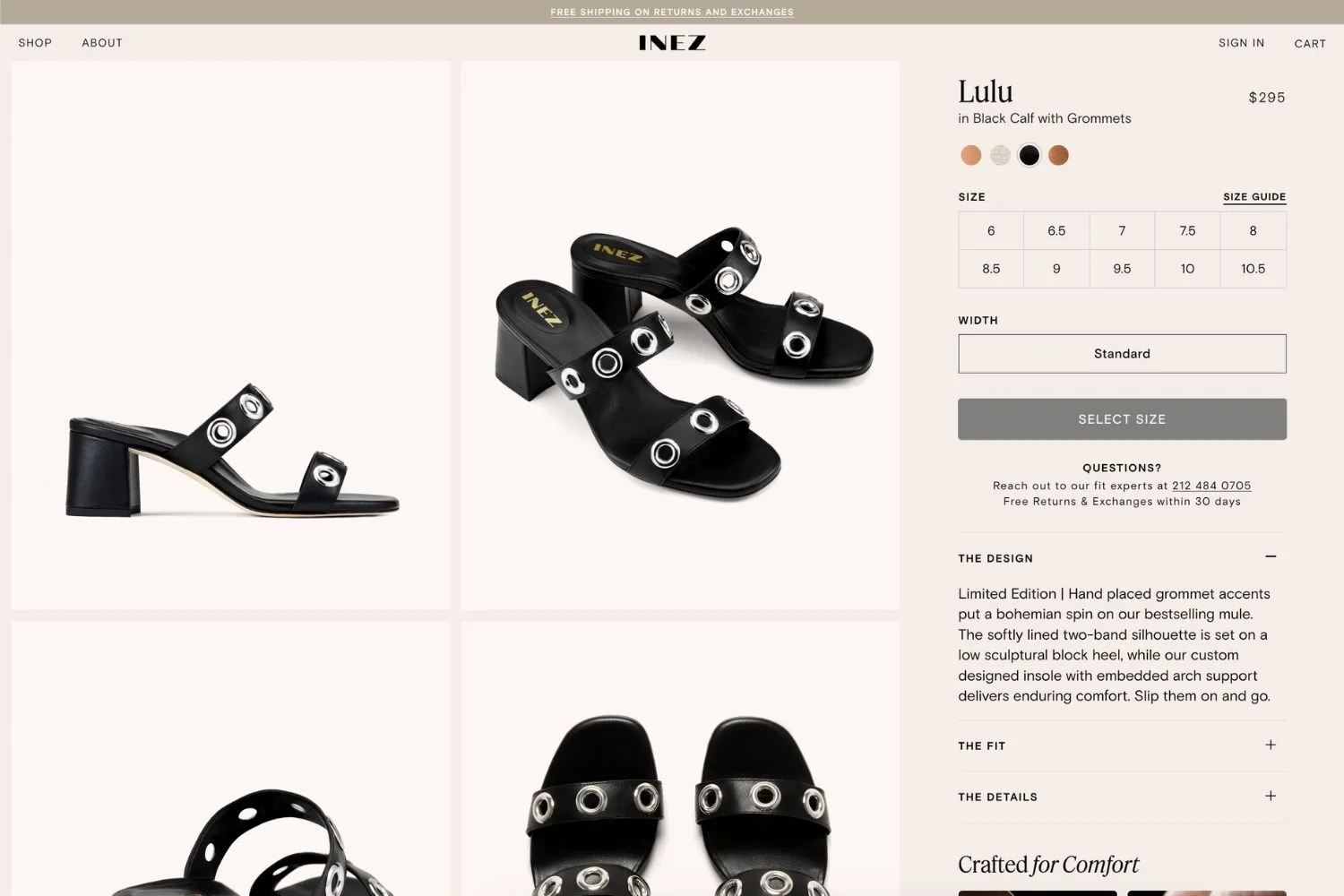
Instagram feed powered by Mintt Studio, shown on Inez storefront.
If you’re running a Shopify store, you already know that standing out online requires more than amazing products - it’s about creating a dynamic, engaging shopping experience. One of the simplest ways to achieve this is with an Instagram feed widget.
Why an Instagram Feed Widget Matters for Shopify Brands
Instagram is more than just social media - it’s a hub of social proof. Customers are drawn to authentic visual content, and seeing your products in real-life settings builds trust and encourages purchases.
An Instagram feed widget integrates your Instagram content directly into your Shopify store, keeping your site fresh, engaging, and visually appealing. It’s a seamless way to showcase your brand lifestyle while letting potential buyers see your products in action.
Key Features of the Mintt Studio widget
Our Shopify Instagram feed app, Mintt Studio, is built specifically for merchants who want complete control over their social content while turning it into a conversion-ready tool.
With Mintt Studio, you can:
Showcase your brand effortlessly. Create fully customizable galleries that match your store’s look and feel.
Engage shoppers with dynamic layouts and video. Choose from grid or slider layouts, and build conversion-ready video feeds.
Boost conversions with shoppable content. Tag products directly in your feed with Add to Cart and Shop Now buttons.
Build social proof with authentic UGC. Highlight creators and customers using your products to inspire shoppers and strengthen your brand image.
Keep your store fast and mobile-friendly. The Mintt Studio Instagram widget is optimized for speed and responsive across all devices, ensuring your feed looks flawless everywhere.
Enjoy simple, no-code setup. Get your feed live in minutes, with full control over styling.

Shoppable Instagram feed powered by Mintt Studio, shown on Thirty Years storefront.
In short, Mintt Studio gives merchants complete flexibility to turn their Instagram feed into a brand gallery, a shoppable experience, or a video showcase, all within Shopify. It’s a versatile tool that lets you do pretty much anything you need with your Instagram content.
Common Mistakes to Avoid
When adding an Instagram feed widget, it’s easy to make mistakes that reduce its impact. With Mintt Studio, you can avoid all these common pitfalls:
Overcrowding. Too many images or videos can overwhelm visitors and make your storefront look cluttered. Mintt Studio’s layouts and settings keep your feed clean and visually balanced.
Not curating UGC. Off-brand or irrelevant tagged posts can hurt your image. Mintt Studio lets you easily hide any unwanted content, ensuring your feed highlights only posts that strengthen your brand and inspire shoppers.
Ignoring mobile users: Around 80% of Shopify shoppers browse on their phones. Mintt Studio is fully responsive and lets you adjust rows and columns specifically for mobile, keeping your feed on-brand and perfect on any device.
Neglecting updates: Outdated feeds can appear stale and untrustworthy. Mintt Studio automatically fetches your latest Instagram posts so your store always looks fresh.
Forgetting product tagging: A non-shoppable feed means missed sales. Mintt Studio offers automatic product tagging, allowing you to effortlessly maintain a conversion-ready, always-shoppable feed.
Following these guidelines ensures your Instagram feed widget is not just decorative - it becomes a powerful tool that boosts engagement and drives conversions.
Using the Mintt Studio Widget on Shopify
Adding an Instagram feed to your Shopify store with the Mintt Studio widget is quick and intuitive. Here’s how to get started:
Step 1: Install the Mintt Studio App
Search for “Mintt - Instagram Feed” in the Shopify App Store and click Add App to install in on your store.
Step 2: Connect Your Instagram Account
Connect your Instagram account with a single click. The Mintt Studio app works securely with Meta’s API, keeping your feed compliant and automatically up-to-date.
Step 3: Customize Your Feed
Select your layout - grid or slider - and adjust settings such as rows, spacing, and corner styles. Default settings are clean and mobile-friendly, but you have full control to match your brand perfectly.
Step 4: Make Your Feed Shoppable
Turn your feed into a shoppable Instagram feed by tagging products and collections. Add Shop Now or Add to Cart buttons directly to posts, converting social engagement into sales effortlessly.
Step 5: Embed Your Feed Anywhere
Place your feed on the homepage, product and collection pages, or create a dedicated gallery. The flexibility ensures your feed engages shoppers exactly where it matters most.
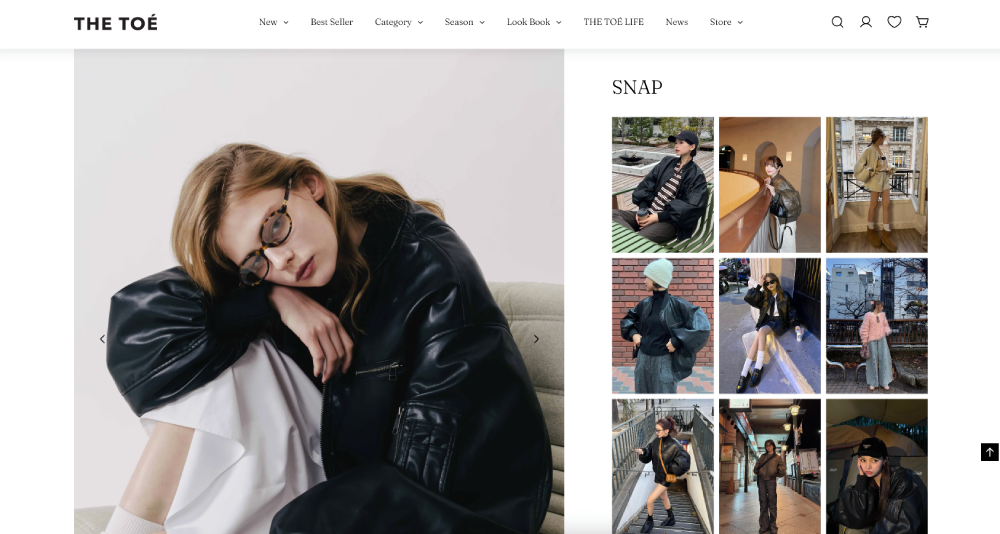
Clothing brand The Toé uses Mintt Studio to show relevant photos from their Instagram on product pages.
Bottom line
An Instagram feed widget isn’t just a nice-to-have - it’s a bridge between social proof and sales. With Mintt Studio, Shopify merchants can create dynamic, visually appealing, and shoppable galleries that strengthen engagement and turn browsers into buyers.
Updated by Mintt Studio Team on 04/12/2025
More from Mintt Studio