How to Use Instagram This BFCM for Your Shopify Store
Most Shopify brands treat Instagram as a distribution channel. You shoot content, post it, and it disappears down the feed within hours. You paid for that content in time, models, styling and editing. Then you used it once.
Black Friday Cyber Monday (BFCM) is when that waste costs you the most.
The brands that win the sale aren’t the ones posting more. They’re the ones getting more surfaces out of every asset they already own. A single styled photo can work on your homepage, your product pages, your catalogue and your email, all pointing at a purchase. This post is about turning one input into four outputs before the traffic hits.
Our app, Mintt Instafeed makes your Instagram content shoppable across your store. Here’s where to place it, why each spot matters, and how to prove it worked.
Why Content Repurpose Beats Distribution During BFCM
BFCM traffic is different from your normal week. It’s higher, colder and faster.
Ads, emails and endorsement mentions push visitors who don’t know your brand and won’t spend long deciding. Baymard Institute puts the average documented ecommerce cart abandonment rate around 70%1, and a discount-driven crowd is even quicker to leave.
Under that pressure, the job of your content changes. It’s no longer awareness. It’s reassurance and speed that helps a stranger trust you and decide fast.
Instagram content already does this. It shows real people, styling and using the exact piece. The waste is leaving it on a channel that shows each post once, when the same content could be working on the pages where people actually buy.
Homepage: Catch Cold Traffic Fast
BFCM shoppers land on your homepage with no context. They followed a deal, not your brand.
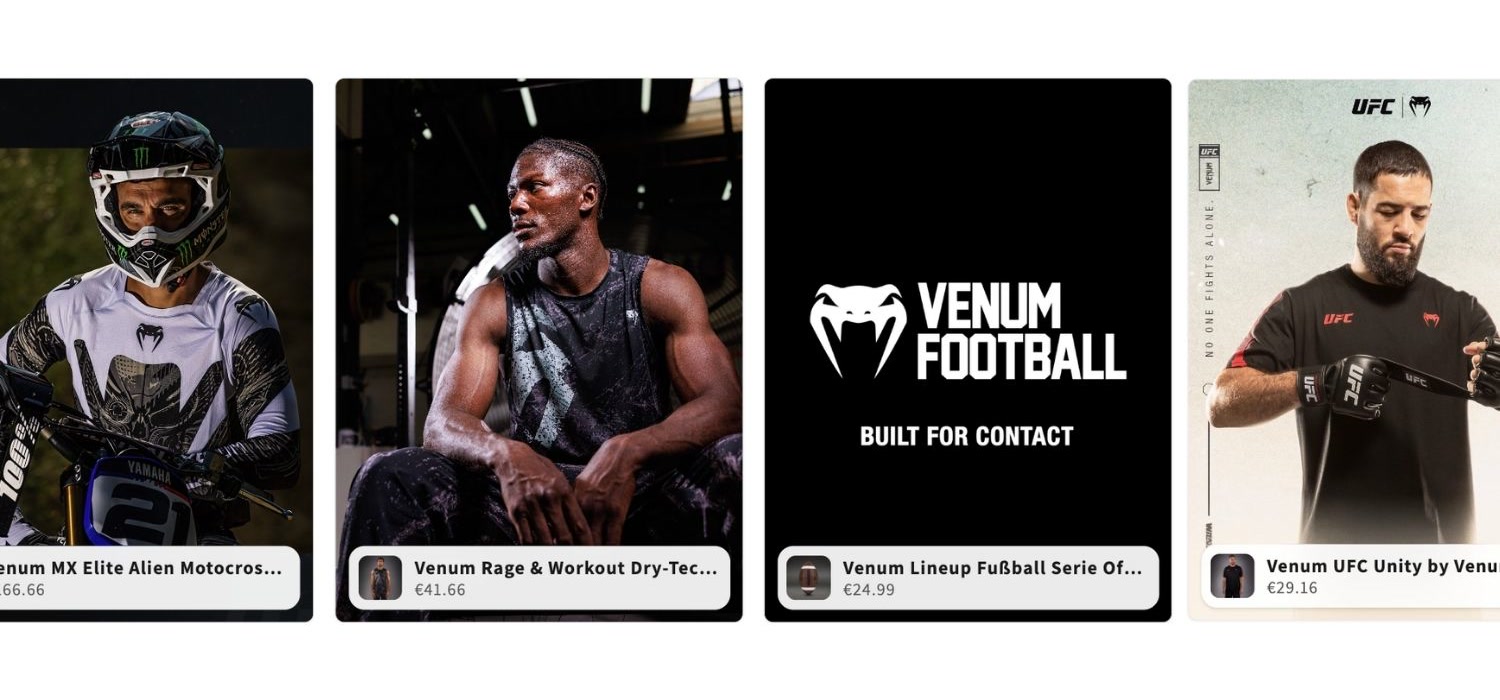
A shoppable Instagram feed on the homepage gives them an immediate way in. Products are tagged inside individual posts, so a shopper moves from an inspiring image straight to the piece in it, without hunting through a menu.
This turns the homepage into a discovery surface instead of a landing pad. Someone notices a product because of how it’s styled, not because they searched for it. During a sale, that keeps a cold visitor browsing instead of bouncing.
It adds real faces to a page that’s otherwise banners and product shots. For a first-time buyer weighing whether to trust a sale, that human signal does quiet work.
Learn how to display UGC here.
Product Pages: Close the Hesitation Gap
A shopper on a product page has already committed to considering one item. They want one answer: what does this actually look like in real life?
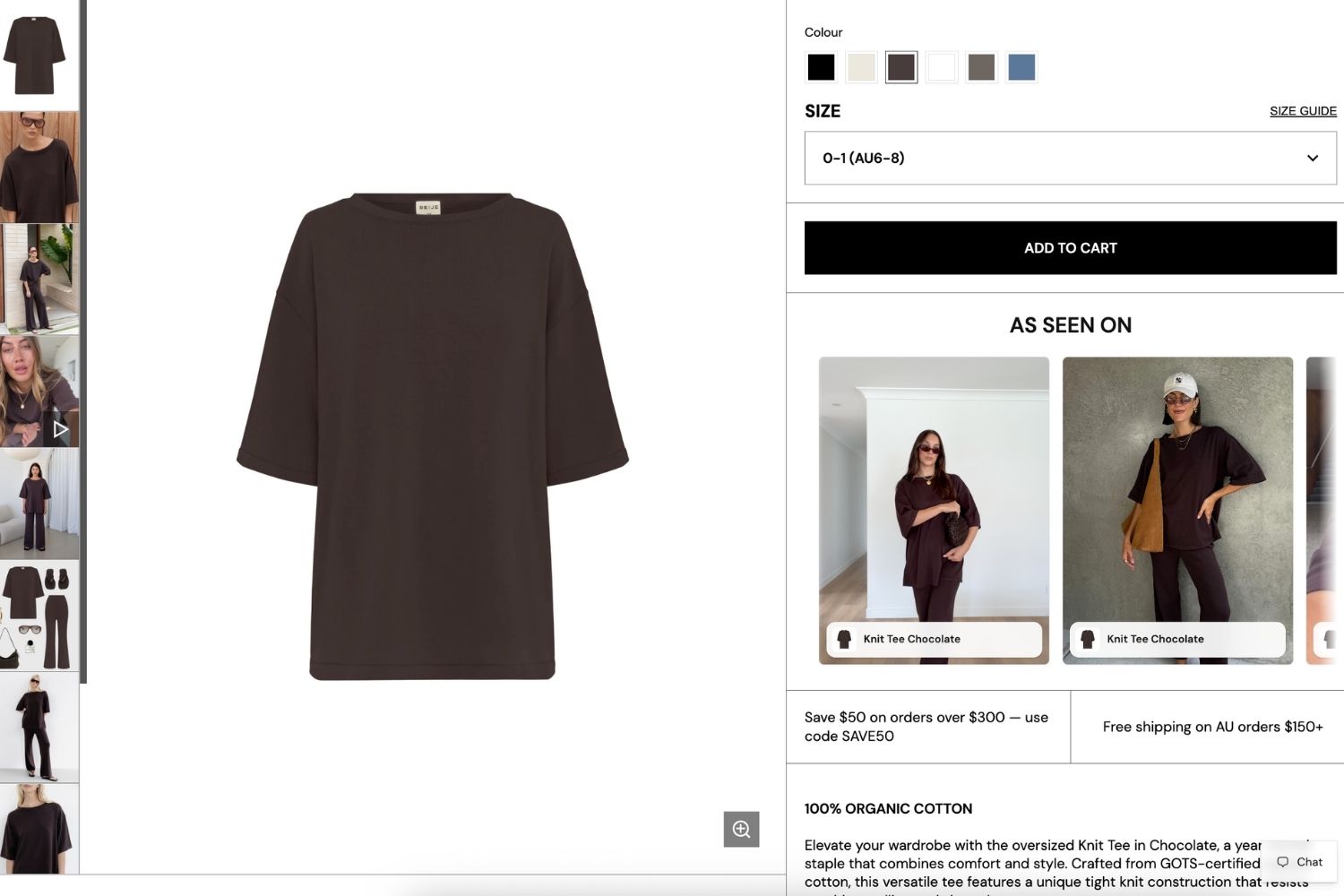
Product-specific Instagram feeds answer it. The page continues past photography and specs into a gallery of relevant posts showing the product worn, used and styled by real customers.
This matters most at the moment hesitation costs you the order. PowerReviews’ 2024 consumer survey found the overwhelming majority of shoppers rely on user-generated content when deciding what to buy, and many trust it over brand photography.2
During BFCM, that extra proof is the difference between a saved cart and an abandoned one. The feed becomes another layer of product imagery, built from content you already made.
We’ve also put together an extensive guide how to make the best out of your product page. You may find it here.
Prove the Impact With the Influenced Orders Chart
Placing feeds everywhere only pays off if you can see what they do. During BFCM, that visibility separates a real strategy from a guess.
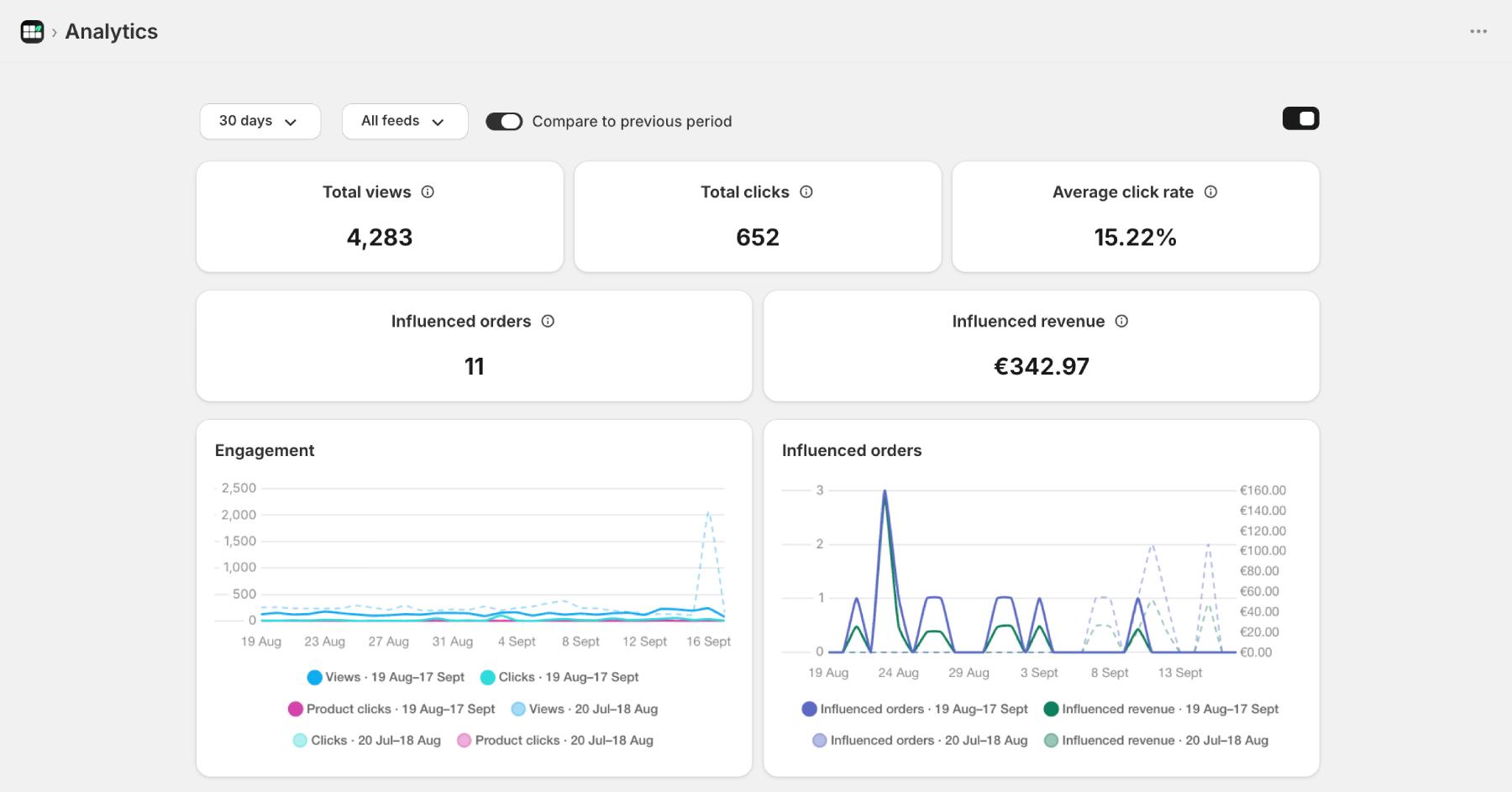
Our new Influenced Orders chart shows a daily graph of influenced orders and revenue inside Analytics. You can watch how your feeds perform day by day across the busiest week of your year, not as one lump-sum number at the end.
To read it properly, turn on Compare to previous period next to the date range. This overlays the previous range on the chart, so you see the BFCM lift against a normal week rather than a figure with no baseline. That comparison is what tells you whether feeds moved the needle or just rode the traffic.
Influenced orders is now out of beta. Orders and revenue in Analytics are a standard Plus feature, so this reporting is ready for the full BFCM push. Learn more here.
Get Set Up Before the Traffic Hits
None of this works if you build it during the sale. Feeds, and product tagging should be live before your first BFCM email goes out.
A practical order of operations:
- Tag products in your best-performing recent posts now, while you have time.
- Add the shoppable feed to your homepage, top collection pages and highest-traffic product pages.
- Open the Influenced Orders chart on day one and turn on Compare to previous period, so you’re reading impact from the start.
Bonus: You can also embed your Instagram content in your BFCM campaign templates. Learn more here.
Make Instagram Work Harder This BFCM
BFCM rewards brands that squeeze more out of what they already have. Your Instagram content is a ready-made, already-paid-for asset. Leaving it on one channel is the easiest revenue you’ll skip all season.
With Mintt Instafeed, one post becomes shoppable homepage content, product page proof, catalogue context and email imagery, with real influenced-order data showing what it earned.
This BFCM, don’t make more content. Put the content you have where the buying happens.
Start for free with Mintt Instafeed
Resources
Updated by Mintt Studio Team on September 17, 2026

We are a small team building big things as a Shopify Partner. Offering reliable solutions for merchants, our apps reach 900 million customers every month.