How to build a high-converting landing page for BFCM 2026
Your BFCM landing page decides the weekend
A BFCM landing page converts when it does three things fast: it shows the offer, proves real people bought, and gets shoppers to checkout without friction. This guide shows you how to build that page on Shopify with GemPages for the layout and Mintt Instafeed for shoppable social proof.
The traffic will come, but most of that traffic still leaves without buying. Your landing page is the one asset you fully control between the ad click and the checkout.
BFCM 2026 runs from Black Friday on November 27 to Cyber Monday on November 30. For the full app stack, start with our 4 must-have Shopify apps for BFCM 2026. This post goes deep on the landing page itself.
Plan your BFCM offer and get the first screen right
Decide the offer and the audience before you drag a single block on your page builder, then put most of your effort into the first screen. On a phone, that screen is the whole pitch for most visitors.
Pick one offer per page
Each landing page should sell one deal. A sitewide 25% discount, a bundle, and a free gift with purchase each need different headlines and different proof. If you run all three, build three pages and send each traffic source to the one that fits.
Match the page to the traffic source
Shoppers arrive with different levels of trust, so the first screen should change with them.
| Traffic source | What the shopper already knows | What the page should lead with |
|---|---|---|
| Paid social (cold) | Little or nothing about your brand | The offer plus customer photos right under the hero |
| Email and SMS subscribers | Your brand and products | Early access and the exact discount code |
| Instagram bio and Stories | Your content and your creators | The same posts they saw, now shoppable |
| Returning customers | Your product quality | Bundles and add-ons that raise order value |
Instagram traffic is the easiest win here, because the content already exists. Our guide on how to use Instagram this BFCM covers how to reuse one post across your homepage, product pages and emails.
Lead with the deal and one button
“Our biggest sale of the year” tells the shopper nothing. “40% off every serum until Monday midnight” tells them the discount, the products and the deadline in one line. Put the discount in numbers and keep the subhead for the one condition that matters, such as free shipping over a threshold.
Give the first screen one button with one verb, such as “Shop the sale” or “Build your bundle.” Secondary links pull attention away from the main action. Repeat the same button after every major section so shoppers never scroll back up to buy.
Add urgency that tells the truth
Countdown timers and stock counters work when they reflect reality. GemPages includes both as CRO-focused elements, along with estimated delivery dates. Set the timer to your real end date, because a timer that resets on refresh teaches shoppers to ignore you.
Show customers and creators, not only studio shots
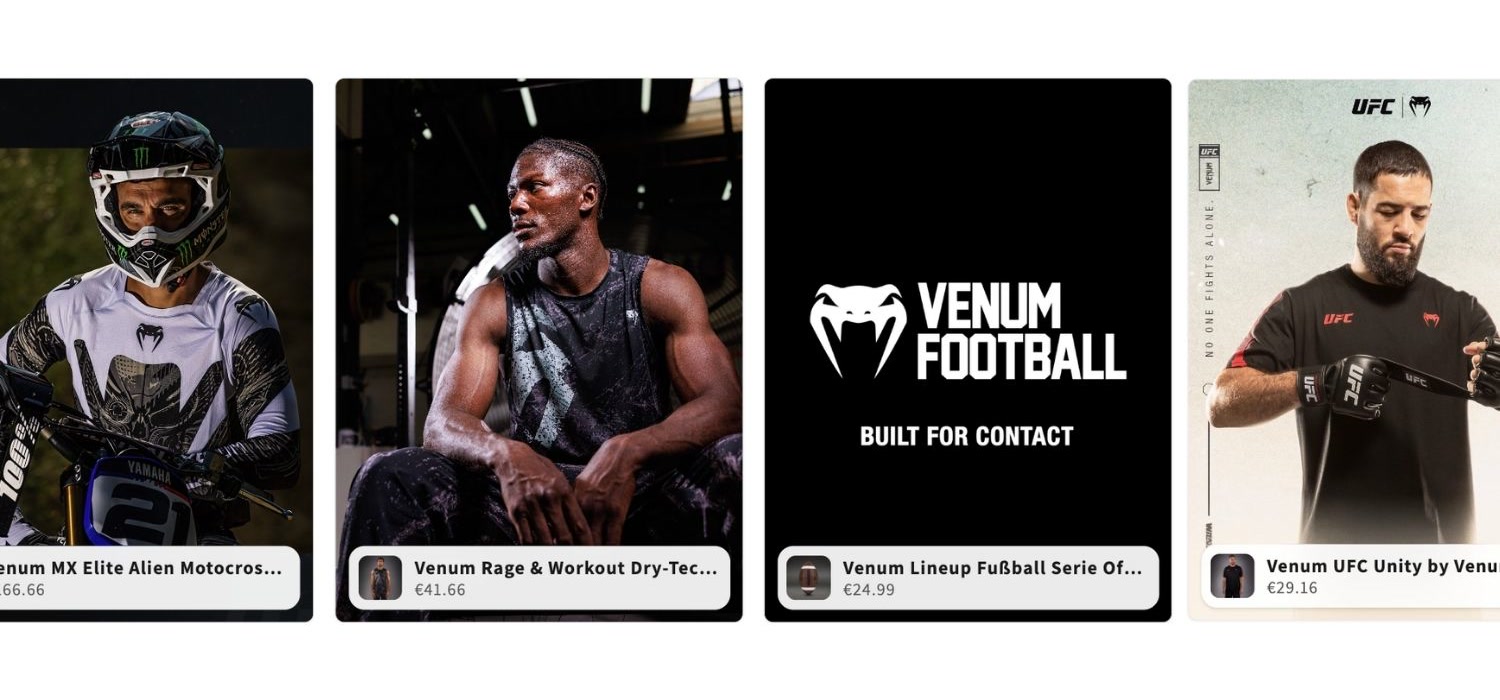
Place a row of customer photos or Reels directly under the hero. Cold traffic from ads trusts other buyers faster than brand claims. We cover the full method in how to turn Instagram UGC into Shopify conversions.
Work back from November 27
- October 5 to 31: Write the copy, build the page, and connect your apps.
- November 1 to 15: Test on real phones and run A/B tests on early-access traffic.
- November 16 to 26: Open early access to subscribers and fix what breaks.
- November 27 to 30: Go live, watch the numbers daily, and swap sold-out products.
- December 1 onward: Turn the page into a holiday gift guide.
GemPages publishes a longer Black Friday checklist covering inventory, fulfillment and email if you want the full operational plan.
Use GemPages as your Shopify landing page builder
GemPages lets you build a dedicated BFCM page without touching your theme code, so your homepage stays stable while you test. Here is the structure we recommend, section by section.
| Section | Its job | GemPages element | Where Instafeed fits |
|---|---|---|---|
| Hero | State the offer and deadline | Hero banner, countdown timer | None |
| Social proof strip | Prove real people buy | Instafeed element | Customer photos and Reels |
| Featured deals | Show the discounted products | Product list, stock counter | Product-tagged posts beside each product |
| Bundles or gift with purchase | Raise order value | Product bundle, popup upsell | Posts showing the bundle in use |
| Shipping and returns | Remove last-minute doubts | Icon list, estimated delivery | None |
| FAQ and final CTA | Answer objections, then ask again | Accordion, button | Optional second feed above the button |
Start from a BFCM template
GemPages offers 400+ templates and sections, including sale and holiday layouts. Pick one close to the structure above and replace the content rather than designing from a blank canvas. You save the hours for copy and testing, which move conversion more than layout tweaks.
Design for mobile first
GemPages has separate mobile settings for each element, so you can hide, resize or reorder blocks on small screens. Check that the offer, button and first row of customer photos all fit on one phone screen. Stack product cards in a single column so thumbs never miss a tap.
Add a shoppable Instagram feed with Mintt Instafeed
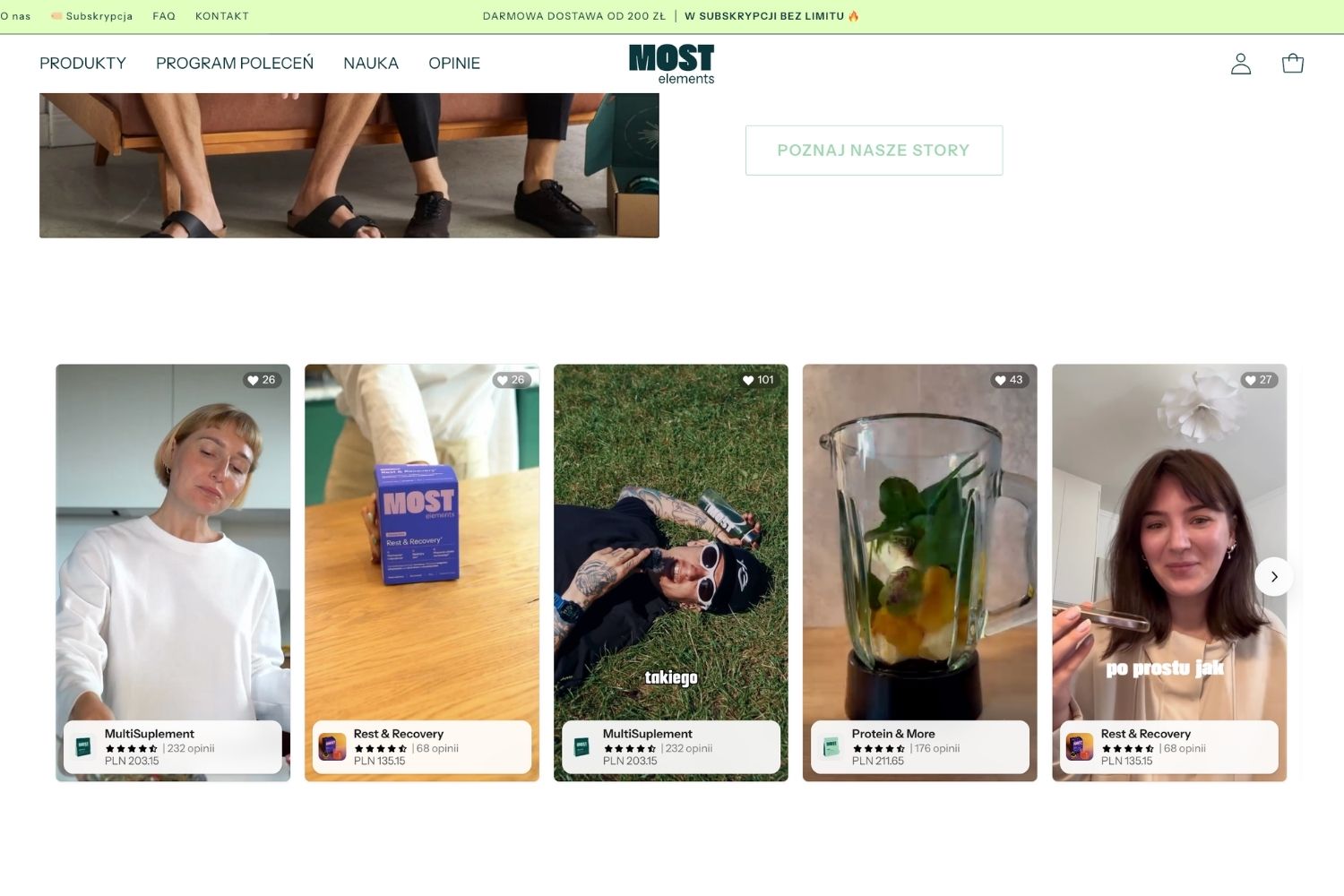
A shoppable Instagram feed turns the photos and Reels your customers already posted into proof that sells. Shoppers tap a post, see the tagged product, and add it to cart without leaving the page. Most shoppers rely on user-generated content when deciding what to buy.
Add the Instafeed element in GemPages
Install Mintt Instafeed from the Shopify App Store and connect your Instagram account first. In GemPages 7, open your page in the editor and find the Instafeed element under the Shopify Apps category in the left sidebar. Drag it into place, then save, preview and publish. Learn how to add Instafeed element in GemPages landing pages.
Place feeds where doubt shows up
Put the first feed directly under the hero, where cold visitors decide whether to scroll. Add product-level feeds next to each featured deal, so a shopper looking at a serum sees only posts of that serum. Close with a second feed above the final button for shoppers who scrolled to the end and still hesitate.
One store can run several feeds with different jobs on the same page. Read how one feed can do five jobs before you decide how many to add.
Tag products and use video
An untagged feed is decoration. Tag every post in the feed with the products it shows, and use Shop the Look layouts for outfits or routines with several products. Reels in a slider layout or shoppable videos show texture, fit and results that a product photo cannot.
Pick posts that answer objections
Choose posts that show the product on different body types, skin tones, homes or use cases. Skip polished brand shots here, since the hero already does that job. Our UGC best practices for Shopify brands covers rights, sourcing and curation, and the Instagram feed mistakes we found on 1,000 Shopify stores shows what to avoid.
Keep your high-converting landing page fast and friction-free
A beautiful page that loads slowly on a phone loses the sale before the offer appears. Speed and checkout clarity matter most on the busiest weekend of the year.
Protect page speed
A Deloitte study for Google found that a 0.1-second improvement in mobile site speed lifted retail conversions by 8.4% (Deloitte, Milliseconds Make Millions). GemPages handles lazy loading and automatic image resizing, so start by compressing your hero image and cutting unused sections.
Add apps as elements or app blocks, never as pasted embed code, because pasted scripts load outside your theme's performance controls. Mintt Instafeed loads as a native element inside GemPages. See how to add shoppable Instagram without slowing your page.
Remove the reasons people abandon carts
Baymard Institute's research names the top reasons shoppers abandon checkout. Each one has a fix you can place on the landing page.
| Reason for abandoning | Share of shoppers | Fix on the landing page |
|---|---|---|
| Extra costs too high | 40% | Show shipping cost and free-shipping threshold near the offer |
| Delivery too slow | 20% | Add an estimated delivery date and your holiday shipping cutoff |
| Didn't trust the site with card details | 19% | Add payment badges, real reviews and customer photos |
| Account creation required | 18% | Enable guest checkout and Shop Pay |
| Checkout too long or complicated | 17% | Link the button to cart or checkout, not to another page |
Shop Pay handled 32% of orders on Shopify during BFCM 2025 (Shopify). Make sure it is on before November. For more on ordering trust and upsells on a page, read build trust, then upsell and our CRO tips for high-converting product pages.
BFCM landing page checklist
- One offer per page, stated in numbers in the headline
- One primary button, repeated after each major section
- Countdown timer set to the end date
- Customer photos or Reels directly under the hero or below checkout in the product page
- Product-tagged feeds beside each featured deal
- Shipping cost, delivery date and returns visible before checkout
- Guest checkout and Shop Pay turned on
- Page tested on two real phones over mobile data
- One A/B test finished before November 16
- Stable URL you can reuse next year
FAQ
When should I build my BFCM landing page?
Build it in October and finish testing by mid-November. That leaves time for early-access traffic, A/B tests and fixes before Black Friday on November 27.
Should Black Friday and Cyber Monday share one page?
Use one page and one URL if the offer stays the same across the weekend. If Cyber Monday brings a new deal, update the hero and featured products on the same page rather than sending traffic to a new URL.
Does an Instagram feed slow down my landing page?
It depends on how you add it. A feed added as a native element or app block, such as the Instafeed element in GemPages, avoids the risks of pasted embed code. Test page speed before and after adding any app.
How long should a BFCM landing page be?
Long enough to answer the questions that stop a purchase, and no longer. For most stores that means the six sections in the table above.
Build your BFCM page this week
You have about seven weeks until Black Friday. Install GemPages to build the page and Mintt Instafeed to fill it with shoppable customer content, then work through the checklist above.
Updated by Mintt Studio Team on October 19, 2026

We are a small team building big things as a Shopify Partner. Offering reliable solutions for merchants, our apps reach 900 million customers every month.