Is Your Instagram Feed Actually Driving Sales? Here's How to Measure It
Your Instagram feed looks good on your Shopify store. But looking good is only part of the job.
Are shoppers seeing it? Are they opening posts, discovering products or clicking through to shop? Does the content play any part in a purchase, or is it simply sitting at the bottom of the homepage?
For a long time, Instagram feeds were treated mainly as a design feature. You added your latest posts, made the storefront feel a little more active and left it at that.
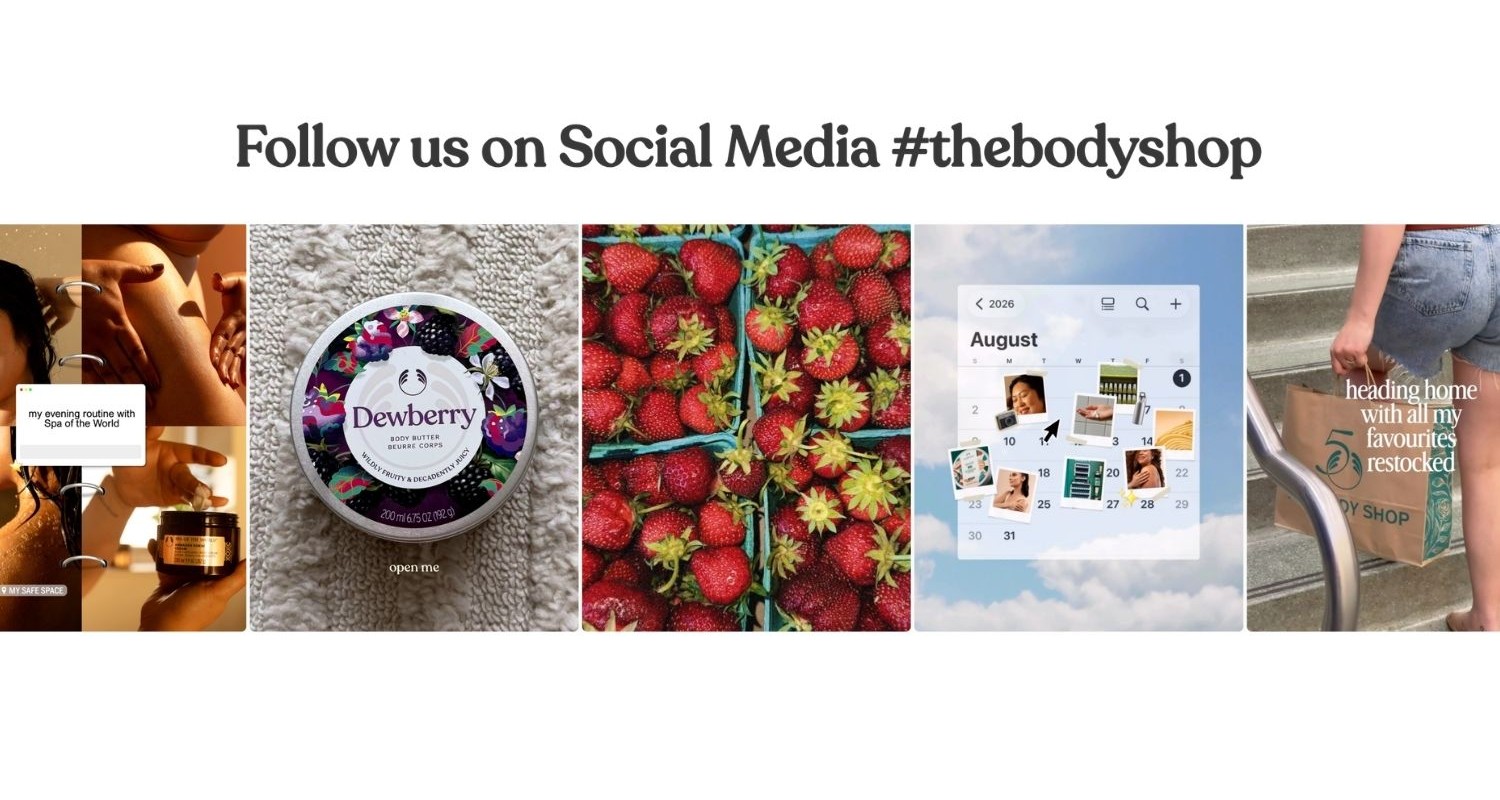
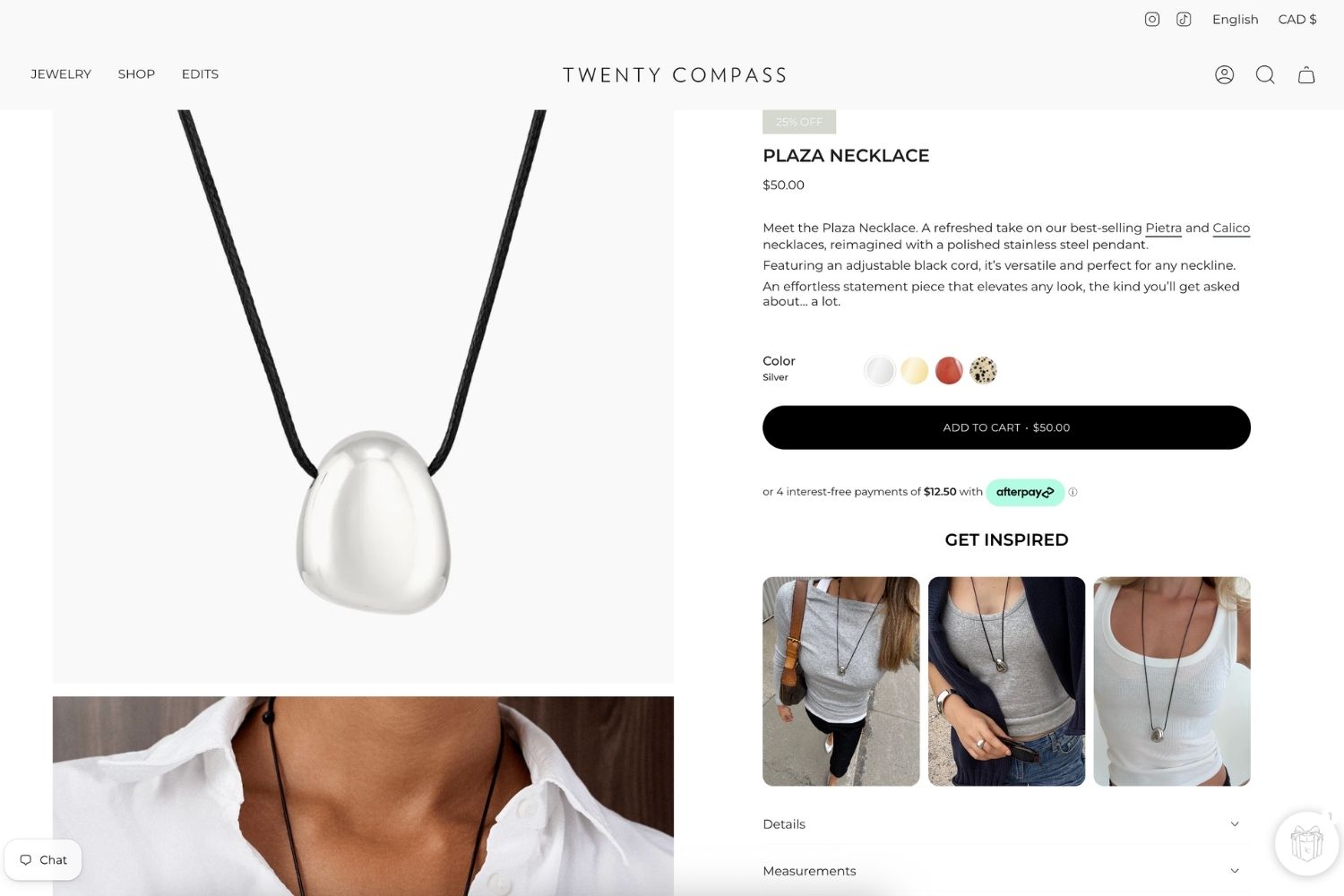
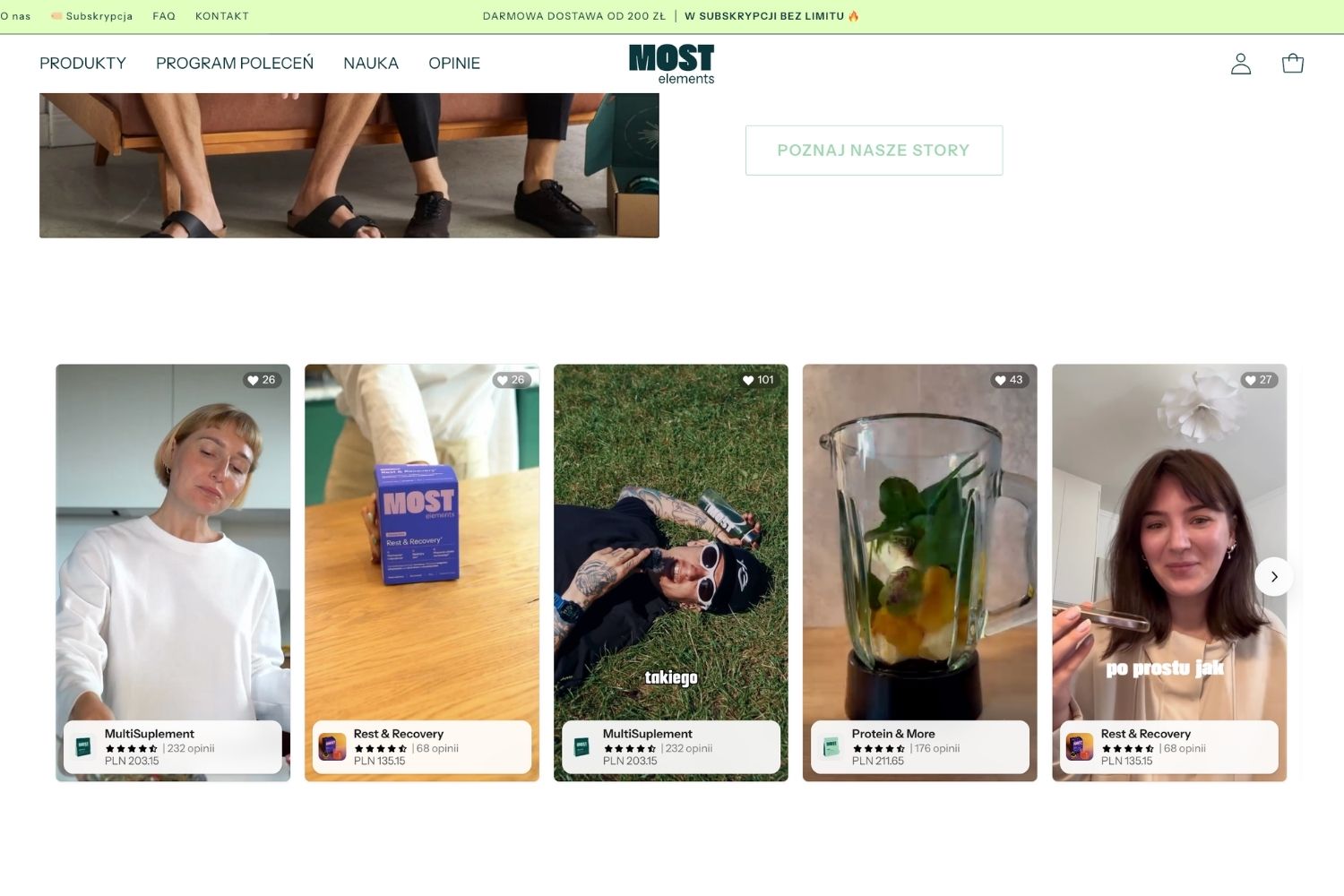
Today, social content can do much more. Instagram posts appear on homepages, product pages, collection pages, campaign pages and UGC galleries. Products can be tagged directly in posts. Videos can show how something works. Customer photos can give shoppers a much more realistic sense of a product than polished studio photography ever could.
Once your feed starts playing a bigger role in the shopping experience, it makes sense to look beyond how it appears and ask a more useful question: is it actually doing what you want it to do?
That starts with measuring the right things.
First, decide what you want your Instagram feed to do
Not every feed on your store should be judged in the same way.
A homepage feed might be there to introduce the brand, show products in context and encourage visitors to explore. On a product page, Instagram content might have a much more specific purpose, such as helping someone understand how an item looks, fits or works.
A UGC gallery may be there to build confidence by showing real customers using your products. A shoppable campaign feed, on the other hand, might be expected to send shoppers directly to product pages and contribute to sales.
The goal matters because it changes how you should interpret the numbers.
If a lifestyle feed on your homepage gets plenty of engagement but relatively few product clicks, that does not necessarily mean it is failing. Equally, a product-specific feed that gets thousands of views but hardly any interaction may be worth investigating.
Before getting too deep into the analytics, think about what you want shoppers to do after they see each feed. Once that is clear, the metrics become much easier to make sense of.
Views tell you whether people are seeing the feed
Views are the simplest place to start.
In Mintt Instafeed Analytics, a view is recorded when the feed scrolls into view on the storefront. That matters because simply having a feed on a page does not mean many shoppers ever reach it.
Imagine your feed sits near the bottom of a long homepage, below a hero banner, featured collections, best sellers, testimonials, promotional sections and a newsletter signup.
It may look great when someone eventually gets there. The problem is that plenty of visitors may never scroll that far.
That is why views are most useful as a measure of visibility.
Tip
If your store gets healthy traffic but one of your feeds receives relatively few views, the content itself may not be the problem. Its position on the page could be limiting its reach.
You could try moving the feed higher, reducing the amount of content above it or placing relevant social content closer to the point where shoppers are considering a purchase.
Views tell you whether shoppers are getting the opportunity to interact with the feed. To find out whether they actually want to, you need to look at clicks.
Clicks show whether the content is creating interest
Once someone sees your feed, the next question is whether anything catches their attention.
Do they open a post? Click a tagged product? Or simply keep scrolling?
Clicks are one of the first signs that your Instagram content is doing more than decorating the page.
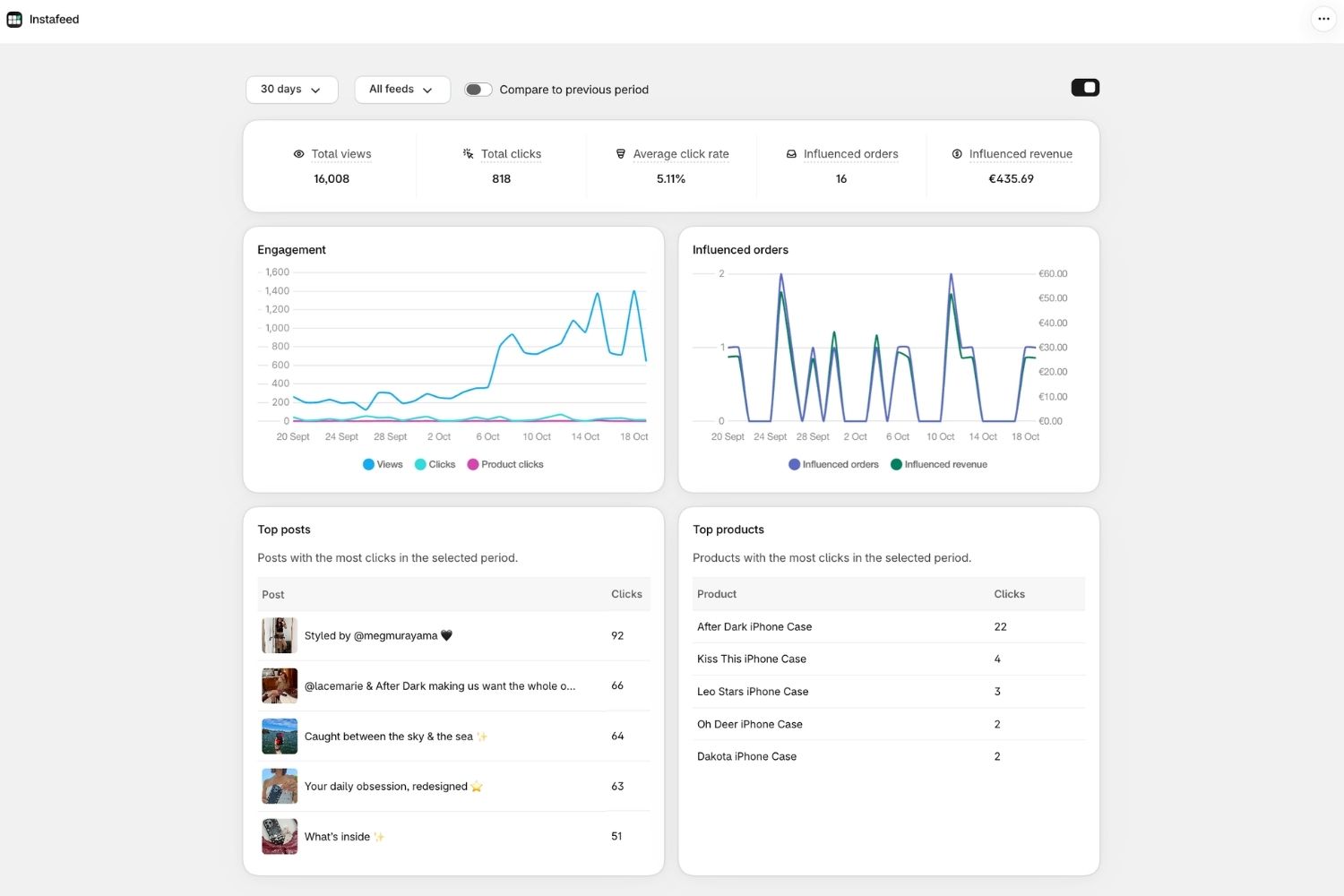
Mintt Instafeed Analytics tracks interactions such as post opens and product clicks. You can also look at average click rate, which shows the share of feed views that resulted in an interaction.
That percentage can be especially helpful when comparing feeds with very different levels of traffic.
Say your homepage feed gets 20,000 views and 300 clicks, while a product-page feed gets just 4,000 views and 240 clicks. Looking only at total clicks makes the homepage feed seem stronger.
But the product-page feed is generating almost as many interactions from a much smaller audience. That suggests the people who see it may find the content far more relevant.
This is where feed analytics starts becoming useful for merchandising, rather than simply giving you numbers to report.
Product clicks show whether inspiration is turning into shopping
Not every Instagram post needs to sell something directly.
But if you are using shoppable feeds, product clicks are one of the clearest signs that your content is helping people move from inspiration to product discovery.
There is an important difference between a shopper seeing a jacket in a lifestyle photo, liking the image and continuing to browse, and that same shopper opening the post, spotting the tagged jacket and visiting its product page.
In the second case, the content has done more than attract attention. It has given the shopper another way to navigate your store.
That can be particularly useful when Instagram content shows products in combinations or situations that are difficult to recreate in a standard collection grid.
A fashion brand can show a complete outfit rather than individual items. A furniture store can show several products styled together in a room. A skincare brand can demonstrate an entire routine. A food brand can show the product being prepared and served instead of simply displaying the packaging.
When those posts are shoppable, Instagram content becomes another route into your catalogue.
Tip
If shoppers are opening posts but rarely clicking products, take a closer look at the experience. Are the products shown in the content tagged? Is it obvious what the featured product is? Does the post create enough interest for someone to want to know more?
A strong visual gets attention. A strong shoppable post also gives that attention somewhere useful to go.
Influenced orders show what happens after someone interacts
Clicks tell you that someone was interested, but they do not tell you whether that interest went any further.
That is where influenced orders come in.
In Mintt Instafeed, an influenced order is an order placed during a visit in which the shopper interacted with the feed by opening a post, viewing a product or adding something to cart from the feed.
It is important to understand what that does, and does not, mean.
An influenced order does not necessarily mean someone clicked an Instagram post and immediately bought the exact product shown.
Real shopping journeys are usually more complicated than that.
Someone might open a UGC post on a product page, continue browsing, compare a few alternatives, add a different item to their cart and complete the purchase several minutes later.
The Instagram content was part of that shopping session and may have helped move the person towards a decision, even though it was not the final click before checkout.
That is why we describe these as influenced orders rather than direct Instagram feed conversions. It gives you a more realistic picture of the role visual content can play in a purchase journey.
Influenced revenue is useful, but it is not the same as causation
Influenced revenue takes the same idea a step further by showing the revenue associated with orders from visits where shoppers interacted with your feed.
It is a useful metric, but it needs to be interpreted carefully.
If your analytics show €10,000 in influenced revenue, that does not mean your Instagram feed independently generated €10,000 that would otherwise never have existed.
Some shoppers may already have been ready to buy and happened to interact with a post before checking out. Others may genuinely have been uncertain until a customer photo or product video gave them the extra confidence they needed.
Analytics can show that the feed was part of those shopping journeys. They cannot tell you exactly what those shoppers would have done if the feed had not been there.
So rather than treating influenced revenue as a perfect ROI figure, use it as a signal.
Tip
Look at which feeds regularly appear in sessions that lead to purchases. Notice which content gets plenty of attention but rarely appears in buying sessions. Compare placements that attract casual engagement with those that seem to sit closer to purchase intent.
That usually tells you far more than trying to reduce the value of your Instagram content to a single revenue number.
Lots of views but few clicks? Look at the content
The real value of analytics is not the dashboard itself. It is what you change because of what you see.
If a feed gets plenty of views but very few clicks, you can probably rule out visibility as the main problem. People are reaching the feed. They just are not finding much reason to interact with it.
There could be several explanations. The content may feel too much like a generic Instagram archive. The posts may be old. The imagery may look good without making the featured products obvious. Or the feed may simply be appearing on a page where that particular content is not very relevant.
It is also worth asking whether clicking the feed gives the shopper anything useful.
This is where you can start experimenting. Try replacing general brand content with stronger product-led posts. Put video earlier in the feed. Introduce more UGC. Tag the products people can see. Change the order of the posts or compare a hand-curated feed with one that simply displays your latest Instagram content.
Then see what happens to engagement.
Instead of relying on “I think this version looks better”, you have something more useful to work with: shoppers are interacting with this version more.
Strong engagement but few influenced orders points somewhere else
You may also see the opposite pattern.
People are viewing the feed, opening posts and clicking products, but relatively few of those sessions go on to result in orders.
In that case, the feed is clearly creating interest. The problem may be happening later in the shopping journey.
Perhaps people are arriving on the wrong product pages. Maybe the Instagram post sets an expectation that the product page does not match. The featured products could be out of stock. Or shoppers may be inspired by the content only to run into weak product information, unexpected shipping costs or some other source of friction.
This is why Instagram feed analytics should not be viewed separately from the rest of your store.
Sometimes the feed is not causing a conversion problem. It is simply helping you spot one.
Compare individual feeds, not just your overall numbers
If you use Instagram content in several places across your Shopify store, it is worth looking at those feeds separately.
Mintt Instafeed lets you filter Analytics by feed, so you can compare different placements and content strategies rather than treating everything as one big pool of Instagram activity.
Your homepage feed may get the most views. A UGC gallery may produce the highest click rate. A product-specific feed may generate fewer interactions overall but appear more often in sessions that end in a purchase.
None of those results necessarily contradict each other. The feeds are doing different jobs.
Understanding those differences is much more useful than asking whether “Instagram feeds convert” in general.
A better question is which type of Instagram content works best in each part of the shopping journey.
Run small experiments instead of redesigning everything
You do not need to rebuild your storefront every time one of your metrics looks disappointing.
Small changes are often more useful because they make it easier to see what is having an effect.
If a feed has low visibility, try changing its placement. If shoppers see it but do not interact, test different content. If they open posts but rarely click products, improve the tagging and merchandising. If one product-page feed performs particularly well, try a similar approach on another product or collection.
And if customer content consistently attracts more interaction than polished campaign photography, that may be a good reason to give UGC more space.
Give each change enough time to produce meaningful data before deciding whether it worked. Mintt Instafeed Analytics lets you look at performance over 7, 30 or 90 days and compare the results with the previous period, which makes it easier to see whether your changes are genuinely moving the numbers.
The aim is not to chase clicks for the sake of clicks. It is to understand the role social content plays in your store and make that content more useful to the people shopping there.
Your best-performing feed may not be your prettiest one
This is one of the more useful things analytics can teach you.
The feed your marketing team likes most is not necessarily the one customers find most helpful.
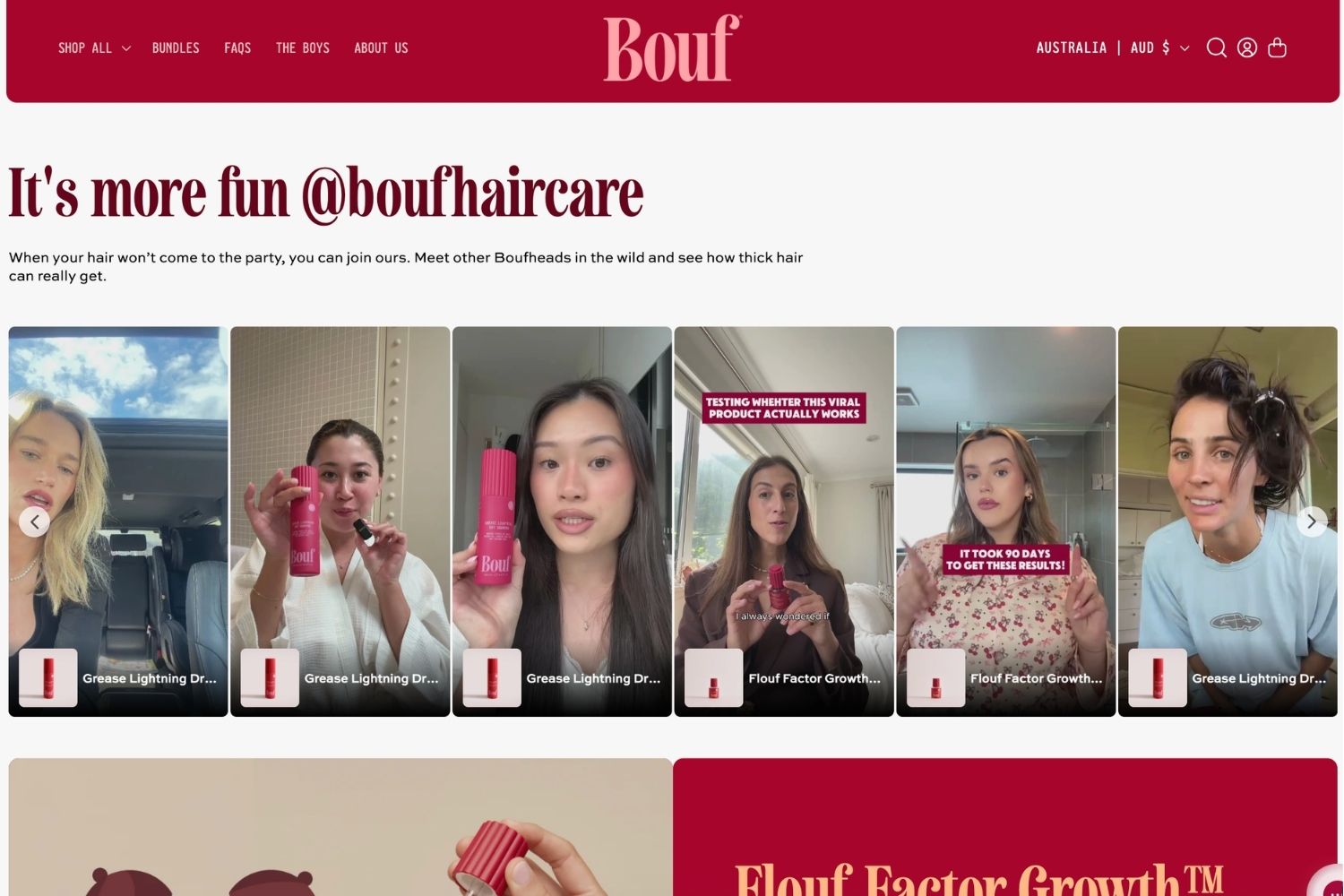
A perfectly curated row of campaign photography might do a great job of reinforcing your visual identity. A slightly rough customer video showing exactly how a product fits might answer the question that finally makes someone comfortable enough to buy.
Both types of content have value. They are simply doing different things.
Once you look at views, clicks, product interactions and influenced orders together, you can make much better decisions about the social content you put on your storefront.
You can see what shoppers actually reach, what catches their attention and which feeds appear in sessions that lead to purchases.
Instead of adding an Instagram feed simply because it feels like something a modern Shopify store should have, you can start making sure yours earns the space it takes up.
Start measuring what your Instagram content is doing
If you already use Mintt Instafeed, Analytics gives you a clearer view of how shoppers interact with your feeds across your Shopify store.
You can track views and clicks, see which posts and products attract the most interest, compare individual feeds and see the number of influenced orders and the influenced revenue associated with sessions where shoppers interacted with your Instagram content.
The useful part is what you do with that information.
Move a feed that nobody reaches. Change content people ignore. Tag the products shoppers want to discover. Test UGC against campaign photography. Put useful social proof closer to the point where someone is deciding whether to buy.
Because once an Instagram feed is part of your storefront, the question is no longer just whether it looks good.
It is whether it is doing something useful.
Ready to get more from your Instagram feed?
Mintt Instafeed makes it easy to bring Instagram content into your Shopify store, create shoppable feeds and understand how shoppers interact with them.
Try it for free on the Shopify App Store
Updated by Mintt Studio Team on October 30, 2026

We are a small team building big things as a Shopify Partner. Offering reliable solutions for merchants, our apps reach 900 million customers every month.