How to Use Instagram at Every Stage of the Shopify Customer Journey
Instagram can do a job at every stage of the Shopify customer journey, from the first Reel a shopper sees to the photo they post after delivery. Most brands use it for discovery and stop there. This guide maps Instagram to five stages and shows where your storefront and your mobile app pick up each one.
Discovery: 62% of Instagram Users Research Brands and Products There
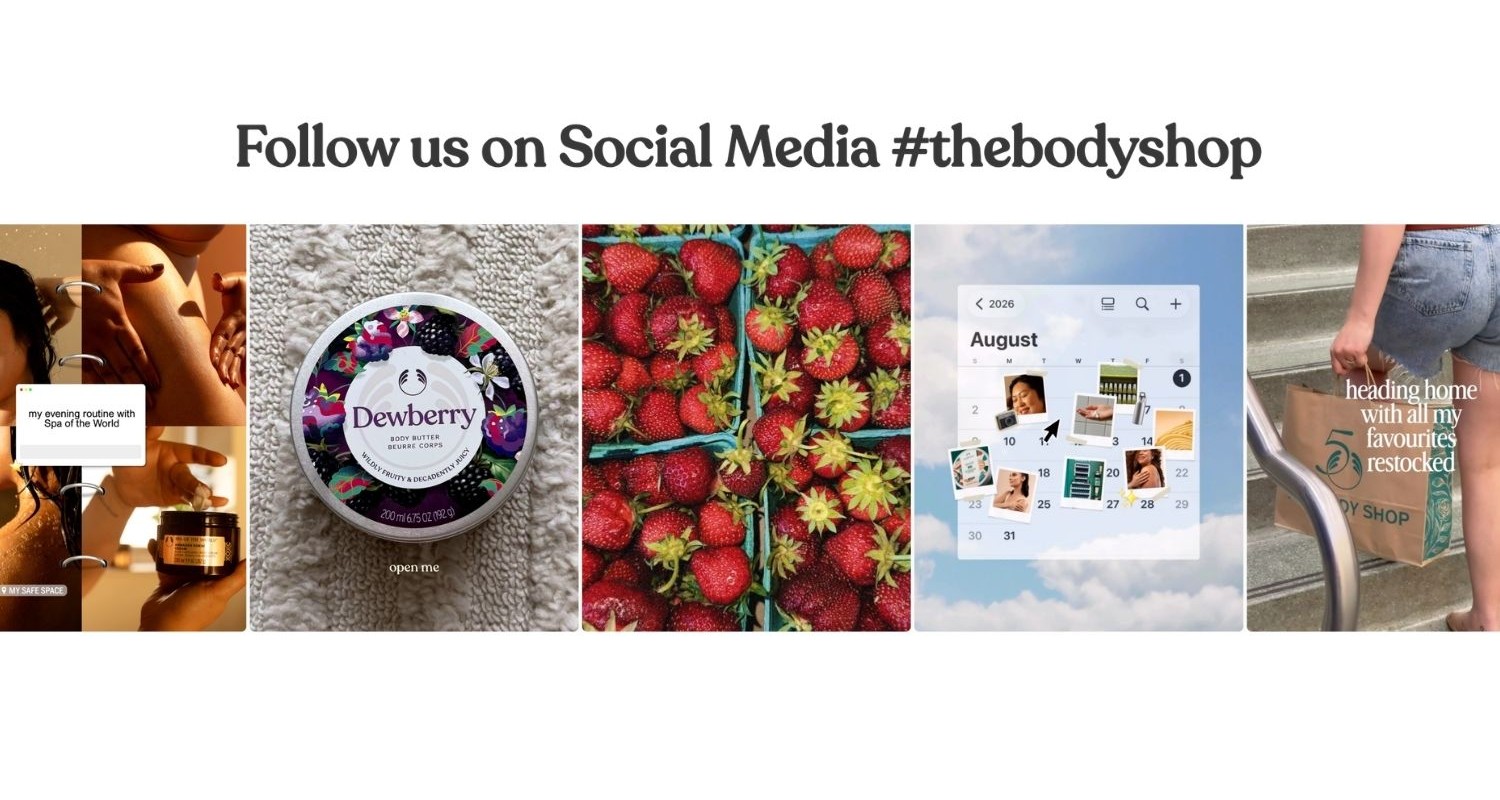
Shoppers use Instagram to research products, not only to scroll. 62.2% of Instagram users say they follow, research or evaluate brands and products on the platform, according to DataReportal's Digital 2026 Mid-Year Update. Your job at this stage is reach with intent behind it.
Three formats do most of the work:
- Reels that show the product in use. Open on the product doing its job, then show the result. A shopper should know what you sell before the clip loops.
- Creator collaborations. A Collab post appears on both your profile and the creator's, so you reach their audience without a separate ad buy.
- Product tags. Tag products in posts and Reels so shoppers see the name and price without leaving the app.
Track profile visits, link taps and sessions from Instagram in Shopify Analytics. Treat every Reel and creator post as raw material, because your store will reuse it in the next four stages.
Consideration: Add an Instagram Feed to Your Shopify Store
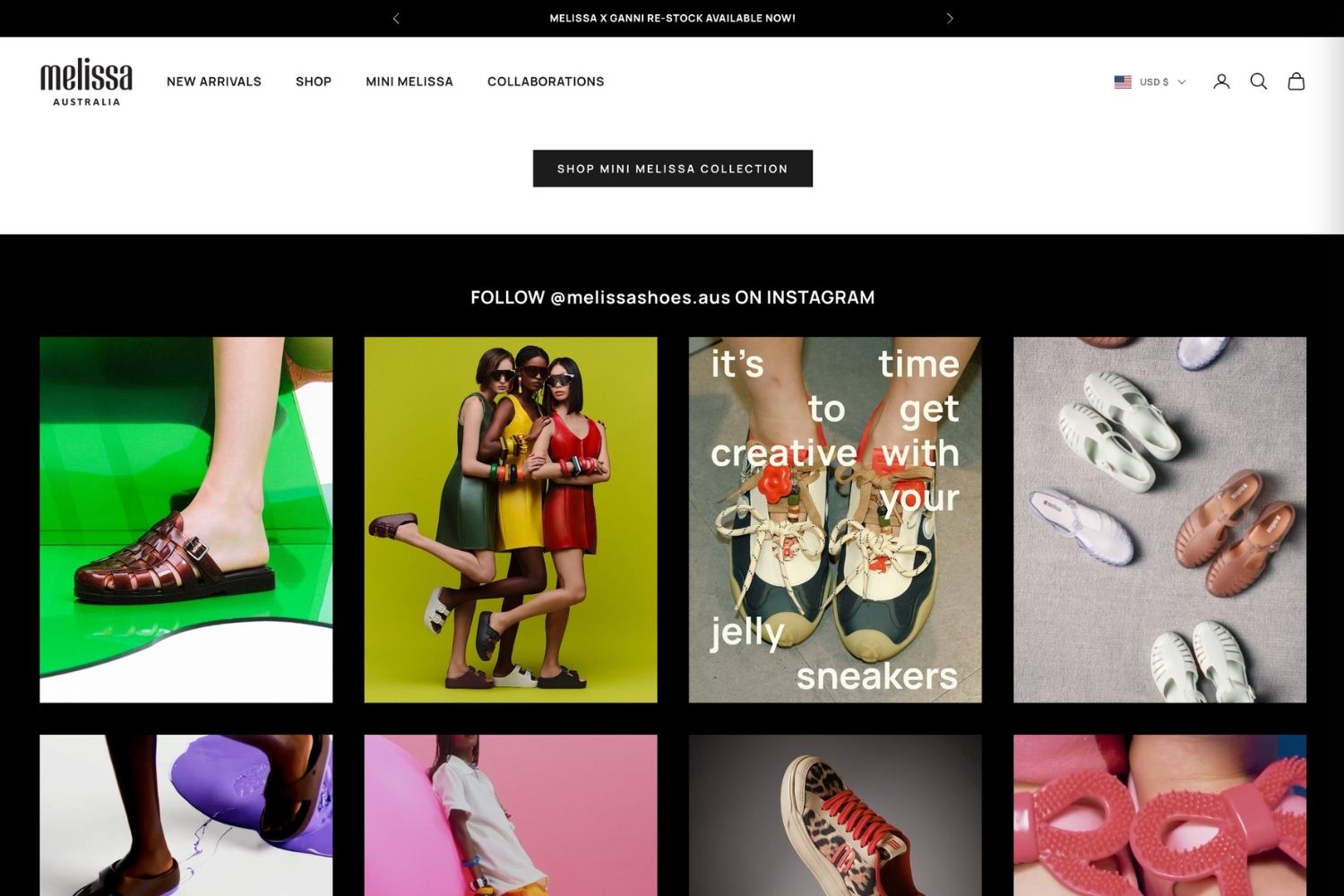
A shopper who taps through from Instagram arrives with a picture in mind. If your storefront looks nothing like the account they followed, you break the thread that brought them in. Consideration is about continuity.
Bring the feed onto the storefront. Mintt Instafeed connects your Instagram account to your Shopify store and auto-syncs your latest posts, so the store stays current with no manual updates. Our step-by-step guide shows how to add an Instagram feed to Shopify in a few minutes.
Where you place the feed decides what it does:
- Homepage: a feed below the hero confirms the shopper landed in the right place.
- Collection pages: a feed curated to that collection shows the range styled on real people.
- Product pages: a shoppable feed curated to that product shows it styled and in real use, right next to the add-to-cart button. See how Katharina Lou displays their Instagram tagged posts on their product page.
- Custom sections: an Instagram block on your about page shows the people and process behind the brand.
Stability matters here, since a broken feed looks worse than no feed. Mintt Instafeed is an official Meta-approved app, its feeds hold up through Instagram API changes, and it adds no watermarks, including on free plans.
Embed your Instagram feed anywhere with the Mintt Instafeed API
Theme sections cover most stores, but some pages sit outside the theme. Mintt Instafeed users can embed their Instagram feeds with the API on custom landing pages, headless storefronts and campaign microsites. Use it to add inspiration to a lookbook, brand storytelling to a launch page, or social proof wherever shoppers hesitate.
Conversion: Shoppable Instagram Posts on Shopify Product Pages
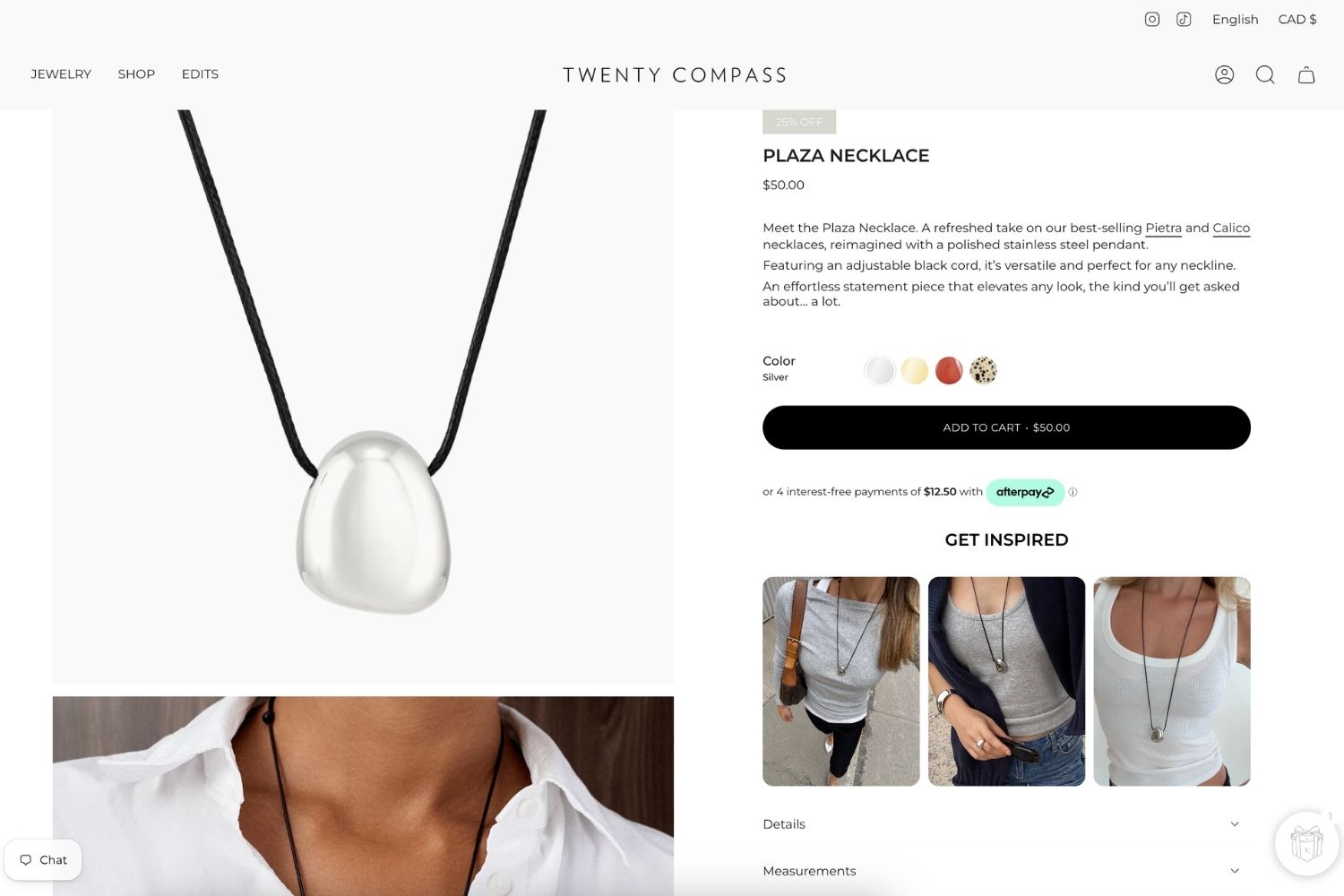
Conversion happens on the product page, so your Instagram content belongs there too. Brand posts show the product styled at its best. Customer posts show it in real life.
Shoppable posts
With Mintt Instafeed, shoppers add to cart directly from the Instagram feed. Tag products to your posts, and each image links to the item it shows. That shortens the path from “I like that” to the cart.
UGC as social proof
Reviews tell shoppers what customers think. Tagged customer photos show what the product looks like outside your studio. Mintt Instafeed displays tagged customer posts and influencer content on product pages, and UGC videos play with no view limits. For collection and rights tips, see our UGC best practices for Shopify brands.
How to add Instagram posts to Shopify product pages
- Install Mintt Instafeed and connect your Instagram account.
- Tag products to the posts that feature them.
- Create a feed curated to that product or its collection.
- Add the feed to your product page template, close to the add-to-cart button.
Product pages carry your most valuable traffic, so speed matters as much as content. Before you publish, read our guide on adding shoppable Instagram posts to product pages without slowing them down. Reebok Australia is one of the brands using Mintt Instafeed to bring Instagram content onto its storefront.
Mobile: Turn Instagram Traffic into Mobile App Shoppers
Instagram is a phone app, so nearly every shopper it sends you arrives on a phone. Links from Instagram open in its in-app browser, which does not share logins or saved payment details with the phone's main browser. Mobile is where the journey most often stalls.
What a Shopify mobile app adds
Instagram brings shoppers to your brand, but keeping them engaged beyond that first visit takes a channel of your own. A branded mobile app gives customers a familiar place to browse, shop and return without having to find you again through their Instagram feed.
Shopney is an AI-powered mobile app builder that helps Shopify and Shopify Plus merchants turn their online stores into fully branded iOS and Android shopping apps without writing a single line of code, in as little as 5 days. More than just an app builder, Shopney helps brands turn mobile shopping into a sales and retention channel with a seamless shopping experience, app-exclusive offers and unlimited free push notifications. These tools help merchants increase conversions, keep customers engaged, encourage repeat purchases and reduce their reliance on paid ads.
For example, Touché, a global Shopify Plus fashion brand, saw 12x higher conversion rates and 15x higher customer engagement on its mobile app compared to its mobile website after switching to Shopney. With a more intuitive shopping experience, personalized product recommendations and push notifications, Touché also increased its mobile app revenue by 1.4x within three months.
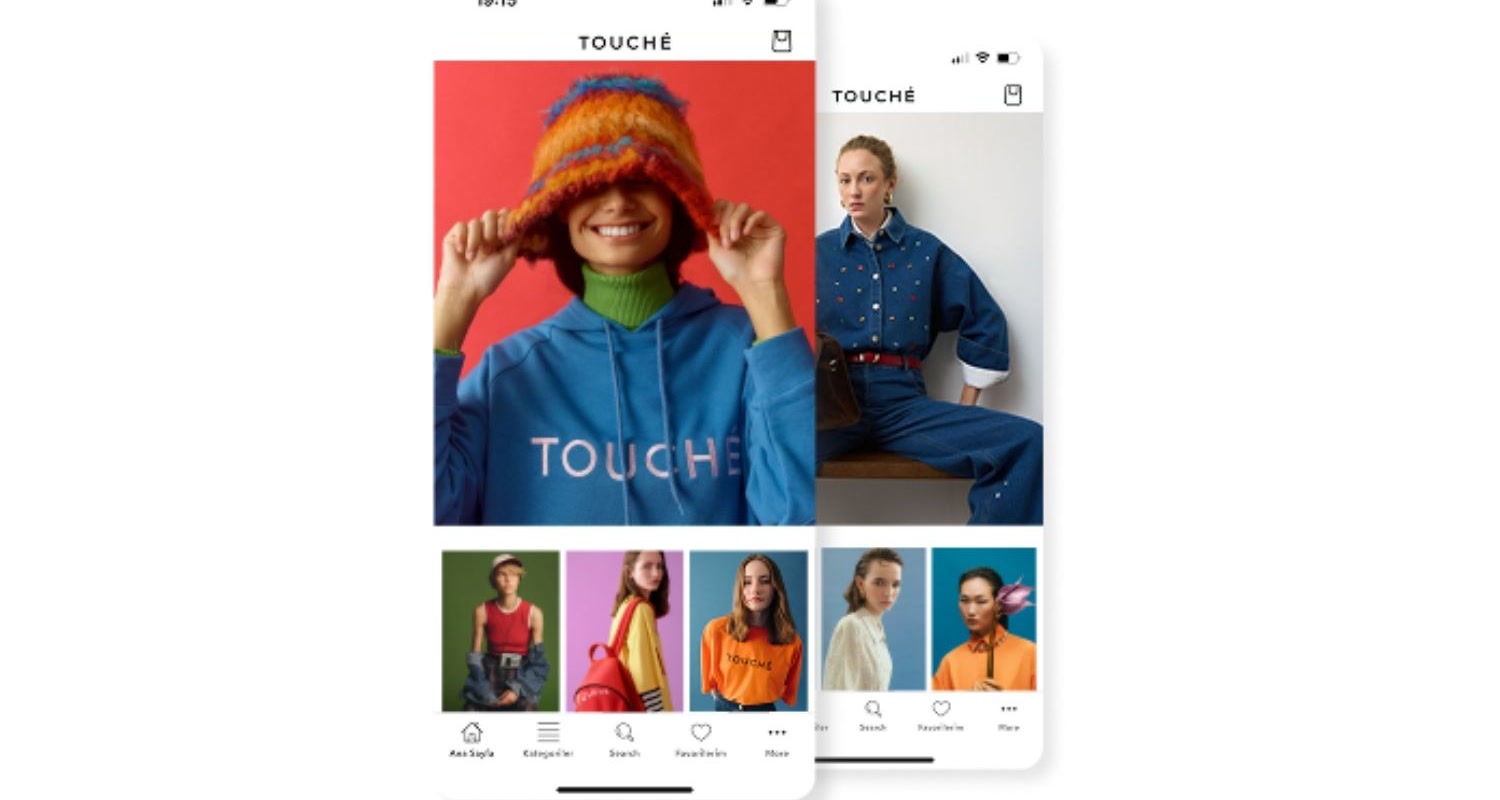
The takeaway: Instagram helps customers discover your products, while a mobile app helps turn that attention into lasting customer relationships and repeat sales.
How Instagram and your mobile app work together
- Use Instagram to drive installs. Announce app-only drops or early access in Stories and Reels. Point your bio link to the app download page during those launches.
- Keep the look consistent. Reuse your Instagram imagery in the app's banners and collection headers. The shopper should recognize the brand on Instagram, the storefront and the app.
Retention: Turn Customers into Instagram UGC
The journey does not end at delivery. A customer who posts your product restarts the cycle for their own followers, so retention feeds discovery.
- Ask for the post. Add a line to the shipping confirmation email and the package insert asking customers to tag your account. Give them a branded hashtag to use.
- Feature what they share. Pull tagged customer posts into your storefront feed with Mintt Instafeed. A customer who sees their photo on your site has a reason to post again.
- Bring them back through the app. Send push notifications for back-in-stock alerts and win-back offers. Run Instagram Stories about the same restock so both channels say the same thing.
- Reward repeat creators. Offer app-only discounts or early access to customers whose posts you feature.
The Instagram Customer Journey on Shopify at a Glance
| Stage | Instagram's job | Store touchpoint | Tool |
|---|---|---|---|
| Discovery | Reach new shoppers with Reels, Collabs and product tags | Instagram profile and bio link | |
| Consideration | Confirm the brand when the shopper arrives | Homepage, collection pages, API embeds | Mintt Instafeed |
| Conversion | Show the product styled and in real use | Shoppable posts and UGC on product pages | Mintt Instafeed |
| Mobile | Drive app installs and repeat visits | Native iOS and Android app, push notifications | Shopney |
| Retention | Turn customers into content | Tagged posts on the storefront, app-only offers | Mintt Instafeed and Shopney |
Instagram and Shopify: FAQ
How does Instagram fit into the Shopify customer journey?
Instagram drives discovery, then supplies the content for consideration, conversion and retention. It works hardest when that content also appears on your storefront and in your mobile app.
Do I need a mobile app if I already sell through Instagram?
Not always. An app pays off when repeat customers drive a large share of revenue, because push notifications and app-only offers bring them back. A new store with few repeat buyers should fix its mobile site first.
Can I show Instagram posts on Shopify product pages?
Yes. Mintt Instafeed displays curated, shoppable Instagram feeds on product pages, collection pages, the homepage or custom sections.
Can I show my Instagram feed outside my Shopify theme?
Yes. Mintt Instafeed users can embed their Instagram feeds with the API on custom pages, headless storefronts and campaign sites.
Make Your Instagram Shoppable with Mintt Instafeed
Your Instagram content already does the hard work of earning attention. Put it where shoppers decide.
Add Mintt Instafeed to your store
Updated by Mintt Studio Team on October 22, 2026

We are a small team building big things as a Shopify Partner. Offering reliable solutions for merchants, our apps reach 900 million customers every month.